EasyManua.ls Logo

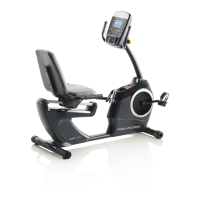
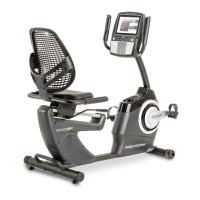
Pro-Form PRO C10R - User Manual

Pro-Form PRO C10R
32 pages
Print Icon
To Next Page IconTo Next Page
Loading...
Serial
Number
Decal
CAUTION
Read all precautions and
instructions in this manual before
using this equipment. Keep this
manual for future reference.
Model No. PFEX73921-INT.0
Serial No.
Write the serial number in the space
above for reference.
USER’S MANUAL
iconeurope.com
MEMBER CARE
UNITED KINGDOM
Website: iconsupport.eu
E-mail: csuk@iconeurope.com
Write:
ICON Health & Fitness, Ltd.
Unit 4, Westgate Court
Silkwood Park
OSSETT
WF5 9TT
UNITED KINGDOM
AUSTRALIA
Call: 1800 993 770
E-mail: australiacc@iconfitness.com
Write:
iFIT Inc.
PO Box 635
WINSTON HILLS NSW 2153
AUSTRALIA
Question and Answer IconNeed help?

Do you have a question about the Pro-Form PRO C10R and is the answer not in the manual?

Summary

Warning Decal Placement

Decal Location Guidance

Illustrates the placement of warning decals on the exercise equipment for user safety.

Important Safety Precautions

General Safety Guidelines

Provides essential safety instructions for using the exercise bike to prevent injury.

Before You Begin

Assembly Instructions

Assembly Requirements and Tools

Details the tools needed, number of persons required, and preparation steps for assembling the bike.

Using the Exercise Bike

Power Adapter Connection

Guidance on properly connecting the power adapter to the exercise bike and outlet.

Console Operation

Console Diagram and Features

Overview of the console's layout, buttons, and advanced features including iFIT connectivity.

Manual Mode Operation

Featured Workout Guide

Custom Map Workout Creation

iFIT Workout Integration

Logging into iFIT Account

Guidance on logging into or creating an iFIT account to access online workouts.

Selecting iFIT Workouts

How to browse the iFIT workout library, select workouts, and view workout overviews.

Console Settings Management

Navigating Settings Menus

Steps to access and navigate through the console's various settings menus.

Connecting to Wireless Network

Detailed instructions for enabling Wi-Fi and connecting the console to a wireless network.

Maintenance and Troubleshooting

Routine Maintenance Procedures

Guidelines for regular maintenance of the exercise bike and console to ensure optimal performance.

Console Troubleshooting Steps

Solutions for common console issues like not booting up or freezing, including reset procedures.

Adjusting the Reed Switch

Procedure for adjusting the reed switch to correct feedback issues with the console.

Exercise Guidelines

Ordering Replacement Parts

Summary

Warning Decal Placement

Decal Location Guidance

Illustrates the placement of warning decals on the exercise equipment for user safety.

Important Safety Precautions

General Safety Guidelines

Provides essential safety instructions for using the exercise bike to prevent injury.

Before You Begin

Assembly Instructions

Assembly Requirements and Tools

Details the tools needed, number of persons required, and preparation steps for assembling the bike.

Using the Exercise Bike

Power Adapter Connection

Guidance on properly connecting the power adapter to the exercise bike and outlet.

Console Operation

Console Diagram and Features

Overview of the console's layout, buttons, and advanced features including iFIT connectivity.

Manual Mode Operation

Featured Workout Guide

Custom Map Workout Creation

iFIT Workout Integration

Logging into iFIT Account

Guidance on logging into or creating an iFIT account to access online workouts.

Selecting iFIT Workouts

How to browse the iFIT workout library, select workouts, and view workout overviews.

Console Settings Management

Navigating Settings Menus

Steps to access and navigate through the console's various settings menus.

Connecting to Wireless Network

Detailed instructions for enabling Wi-Fi and connecting the console to a wireless network.

Maintenance and Troubleshooting

Routine Maintenance Procedures

Guidelines for regular maintenance of the exercise bike and console to ensure optimal performance.

Console Troubleshooting Steps

Solutions for common console issues like not booting up or freezing, including reset procedures.

Adjusting the Reed Switch

Procedure for adjusting the reed switch to correct feedback issues with the console.

Exercise Guidelines

Ordering Replacement Parts

Pro-Form PRO C10R Specifications

General IconGeneral
Resistance TypeMagnetic
Seat TypePadded
Drive SystemBelt
Display MetricsTime, Speed, Distance, Calories
Warranty1-year parts, 1-year labor
iFit CompatibilityYes
TypeUpright Exercise Bike

Related product manuals