
 Need help?
Do you have a question about the Pro-Form Carbon CX and is the answer not in the manual?
Safety warning about misuse, reading manual, and user restrictions on usage.
Safety warning to keep hands and fingers away from specific areas of the bike to prevent injury.
How to change resistance and stop the flywheel using the brake knob.
Guide to operating the console in manual mode, including resistance adjustment and system calibration.
Routine maintenance, cleaning, and care instructions for optimal performance and longevity.
Steps for console display issues, low batteries, and recalibrating the resistance system.
Adjusting the reed switch to ensure accurate feedback from the console during workouts.
Adjusting the drive belt if pedals slip during use.
Finding proper exercise intensity using heart rate zones for fat burning and aerobic exercise.
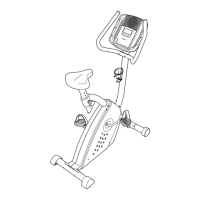
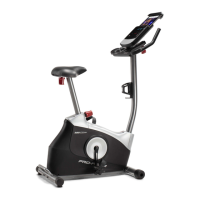
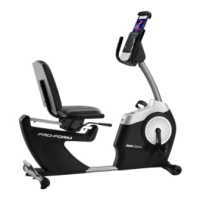
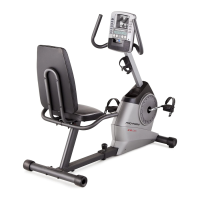
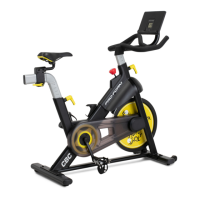
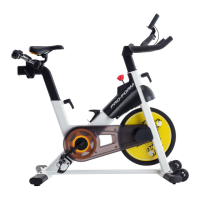
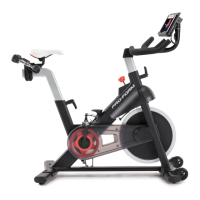
The PRO-FORM Carbon CX is an exercise bike designed for home use, offering a range of features to enhance cardiovascular fitness, build endurance, and tone the body. It is intended for individuals seeking an effective and enjoyable workout experience in a home setting.
The exercise bike allows users to engage in cycling, a low-impact exercise that targets cardiovascular health and muscle endurance. It features a console that provides instant exercise feedback and allows for resistance adjustments. The console is compatible with the iFIT app, which offers a large and varied library of workouts, enabling users to track their progress and customize their training. The bike also supports the use of optional Bluetooth Smart heart rate monitors for continuous heart rate tracking during workouts.
The Carbon CX offers several adjustable components to ensure a comfortable and effective workout for users of different body types. The saddle's height can be adjusted by loosening the adjustment handle, moving the saddle post to the desired position, and then tightening the handle. It is crucial to firmly engage the adjustment handle in an adjustment hole and to hold the saddle post firmly when making this adjustment to prevent the hand weights from falling out of their rests. The horizontal position of the saddle can also be adjusted by loosening the carriage handle, sliding the saddle forward or backward, and then retightening the handle. The carriage handle functions like a ratchet, allowing for precise adjustments.
Similarly, the handlebar height can be adjusted using an adjustment handle. Users can loosen the handle, move the handlebar up or down, release the handle into an adjustment hole, and then firmly tighten it. The horizontal position of the handlebar can also be adjusted.
The pedals are designed with toe cages and straps to secure the user's feet. Users insert their shoes into the toe cages and pull the ends of the toe straps. The straps can be adjusted by pressing and holding the tabs on the buckles, adjusting the straps, and then releasing the tabs. Users also have the option to attach their own pedals if desired.
Resistance is a key feature of the Carbon CX. Users can change the resistance of the pedals by pressing the increase and decrease buttons on the console. This allows for varied intensity during workouts. To quickly stop the flywheel, the brake knob can be pushed downward, bringing the flywheel to a complete stop. When the exercise bike is not in use, it is important to tighten the brake knob completely to prevent accidental movement of the flywheel.
The console is user-friendly and turns on by either beginning to pedal or pressing any button. It displays various workout information such as speed, pulse, calories burned, resistance level, RPM, time elapsed, and distance pedaled. The console has a scan mode that cycles through these different metrics. Users can also select a specific mode for continuous display. The console pauses when pedaling stops and automatically turns off after a few minutes of inactivity.
For enhanced workout experiences, the iFIT app can be downloaded onto a smart device (iOS or Android). After installing the app and enabling Bluetooth, users can connect their smart device to the console. If a heart rate monitor is also being used, it should be connected before the smart device. Once connected, users can select from a library of iFIT workouts, which may include immersive video workouts with an iFIT coach or route maps. During iFIT workouts, users can manually override the resistance settings or follow the trainer's programmed settings.
Regular maintenance is essential for the optimal performance and longevity of the PRO-FORM Carbon CX exercise bike. Users should inspect and properly tighten all parts each time the bike is used. Any worn parts should be replaced immediately, using only manufacturer-supplied parts.
Cleaning the exercise bike involves using a damp cloth and a small amount of mild detergent. It is important to keep liquids away from the console and to keep the console out of direct sunlight to prevent damage.
The pedals require weekly tightening. The right pedal should be tightened clockwise, and the left pedal counterclockwise.
Troubleshooting the console often involves checking the batteries. If the display becomes dim, the three AA batteries (not included) should be replaced. Alkaline batteries are recommended, and old and new batteries or different types of batteries should not be mixed. If the console has been exposed to cold temperatures, it should be allowed to warm to room temperature before inserting batteries to prevent damage to the displays or electronic components. If the exercise bike will not be used for an extended period, the batteries should be removed from the console.
If the console displays "CH0" or "CH1" when resistance buttons are pressed, the resistance system needs recalibration. This involves removing the batteries, pressing and holding any console button for 20 seconds, releasing the button, and then reinserting the batteries. The exercise bike will then adjust to the lowest resistance level.
For tablet holder issues, if the holder does not stay in place, the locknut inside the bracket mount should be tightened after rotating the tablet holder backward.
If the console provides incorrect feedback, the reed switch may need adjustment. The reed switch is located on the left side of the exercise bike and is attached with two M4 x 16mm screws. These screws should be slightly loosened, and the left crank arm should be turned until a magnet aligns with the reed switch. The reed switch can then be slid slightly toward or away from the magnet before retightening the screws. This process may need to be repeated until the console displays correct feedback.
If the pedals slip even at the highest resistance level, the drive belt may need adjustment. This involves locating the idler cover, removing an M4 x 16mm flange screw, and then tightening an M10 x 50mm screw until the drive belt is tight. After adjustment, the idler cover should be reattached.
After assembly, it is crucial to inspect the exercise bike to ensure all parts are correctly assembled, functioning properly, and tightened. Placing a mat under the exercise bike is recommended to protect the floor or carpet.
 General
| Resistance Type | Magnetic |
|---|---|
| Resistance Levels | 16 |
| Transport Wheels | Yes |
| iFit Compatibility | Yes |
| Product Weight | 122 lbs |
| Type | Upright |
| Heart Rate Monitoring | Yes |
| Seat Adjustment | Yes |
| Handlebar Adjustment | Adjustable |



 To Next Page