15
H
OW TO USE THE MANUAL MODE
Note: If there is a sheet of clear plastic on the face of
the console, remove the plastic.
1
. Press the Resistance decrease button or begin
pedaling to turn on the console.
A moment after you turn on the console, the dis-
p
lays will light.
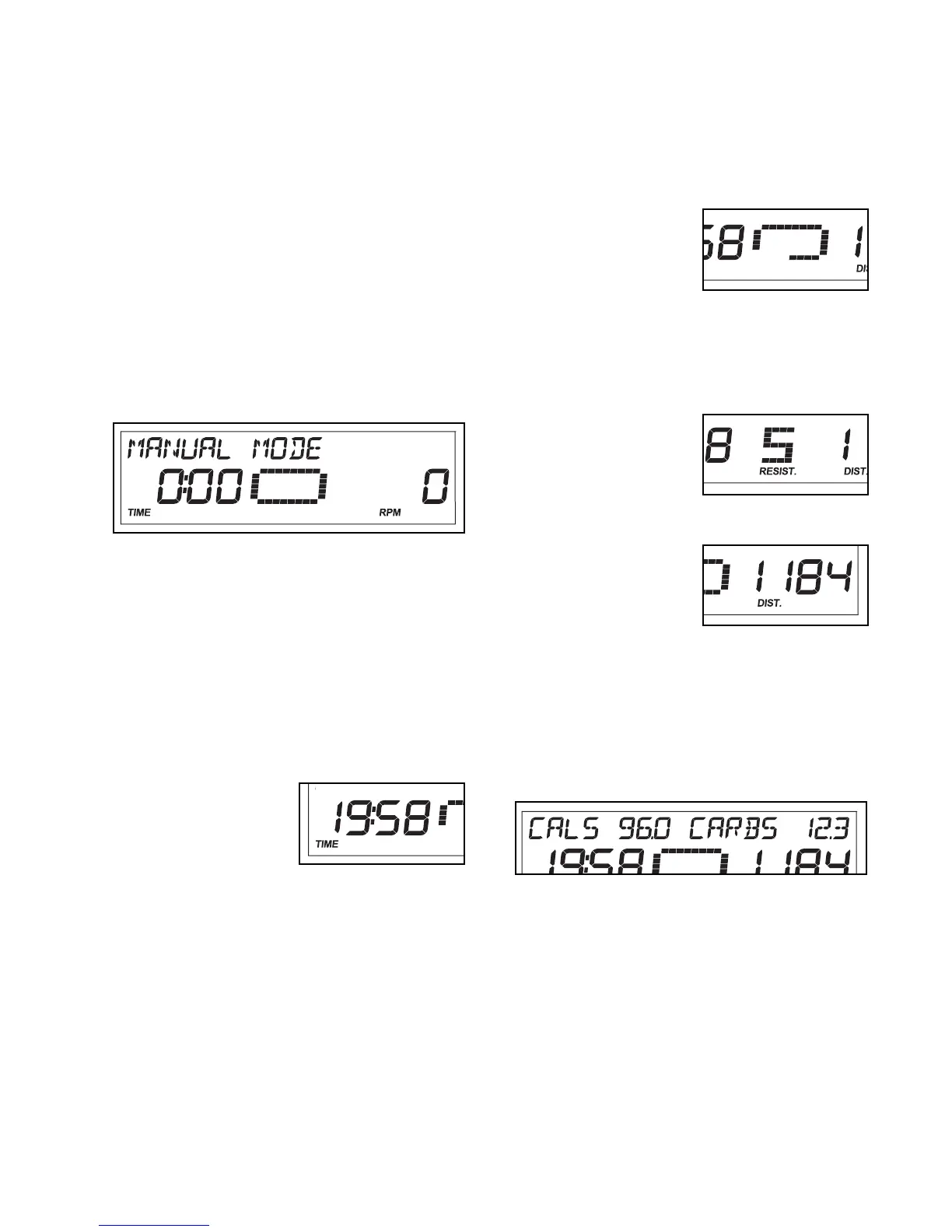
2. Select the manual mode.
Each time you turn on the console, the manual
mode will be selected automatically. If you have
selected a workout, reselect the manual mode by
pressing the Workout button repeatedly until the
words MANUAL MODE appear in the upper
display.
3. Begin pedaling and change the resistance of
the pedals as desired.
As you pedal, change the resistance of the pedals
by pressing the Resistance increase and decrease
buttons repeatedly. There are ten resistance lev-
els. Note: After you press the buttons, it will take a
moment for the pedals to reach the selected resis-
tance level.
4. Follow your progress with the displays.
The left display—This
display will show the
elapsed time. Note:
When you select a
workout, the display
will show the time
remaining in the workout instead of the elapsed
time.
T
he left display will also show your heart rate when
you use the handgrip pulse sensor (see step 5 on
p
age 16).
When you select a workout, the left display will also
show the approximate number of calories you have
b
urned.
The center display—
When you select the
manual mode, the cen-
ter display will show a
track that represents
640 revolutions. As you
exercise, indicators will appear in succession
around the track until the entire track appears. The
track will then disappear and the indicators will
again begin to appear in succession.
The center display will
also show the resis-
tance level of the ped-
als for a few seconds
each time the resis-
tance level changes.
The right display—
This display will show
the distance (total revo-
lutions) you have ped-
aled and your pedaling
pace, in revolutions per
minute (rpm).
The upper display—When you select the manual
mode, the upper display will show the approximate
number of calories you have burned and the
approximate number of grams of carbs you have
burned.



 To Next Page