Orion Sentry by Orion
Revision 2.8 Semi-Automatic Stretch Wrapping Machine
27 August 2014 System Operation
Page 3-9
Selecting a Program
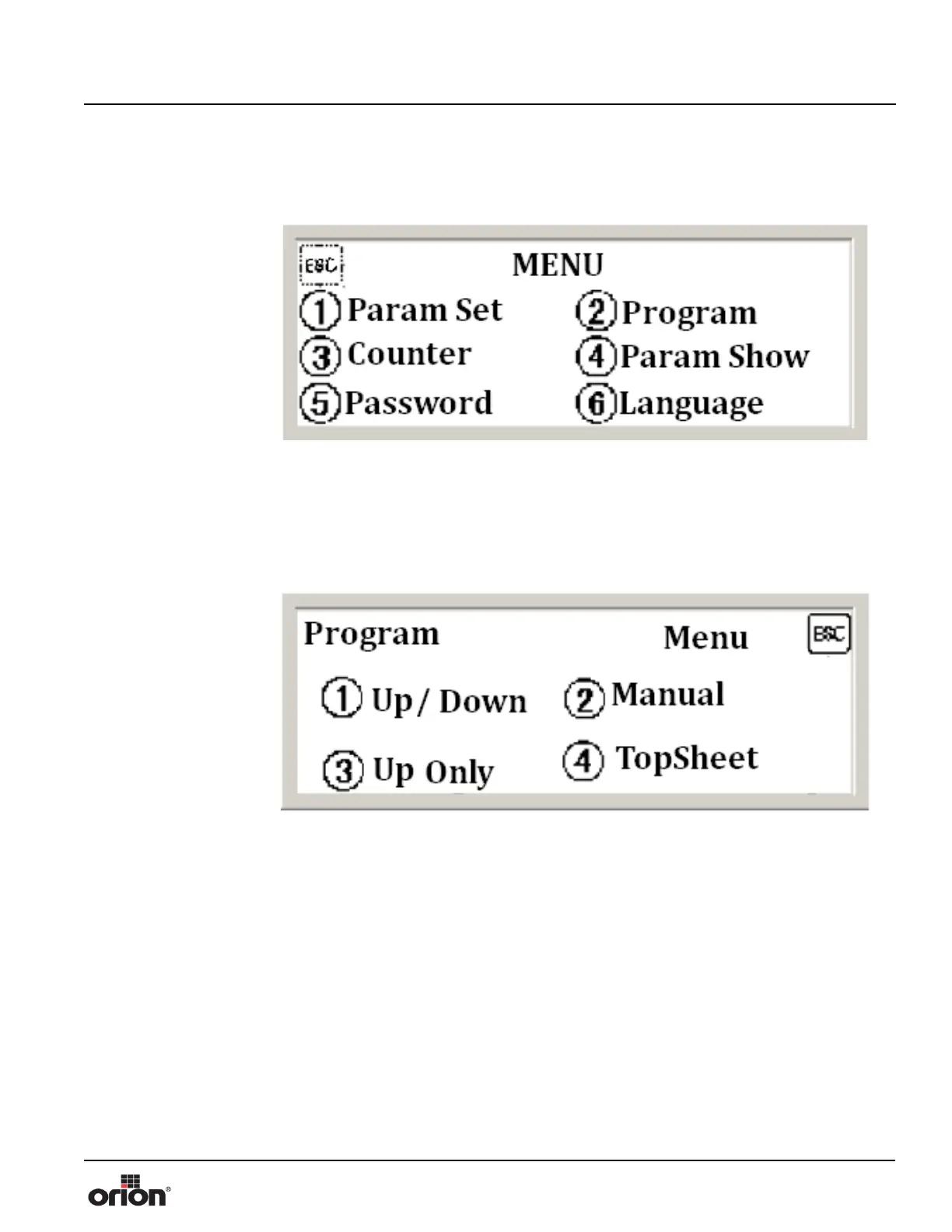
1. On the Menu Screen, press 2 to choose a wrapping program to run.
2. On the Program select screen, you can choose Up/ Down mode, Manual mode, Up
only mode, and Topsheet mode.
Note:
Pressing ESC while running any of the programs will stop the
machine.
Figure 3 - 12
The Menu Screen
Figure 3 - 13
The Program Screen


 To Next Page