Sentry by Orion Orion
Semi-Automatic Stretch Wrapping Machine Revision 2.8
System Operation 27 August 2014
Page 3-6
Viewing and Selecting Parameters
1. Plug in the machine to a 110 power supply.
2. Turn the Power On/ Off Switch to the ON position.
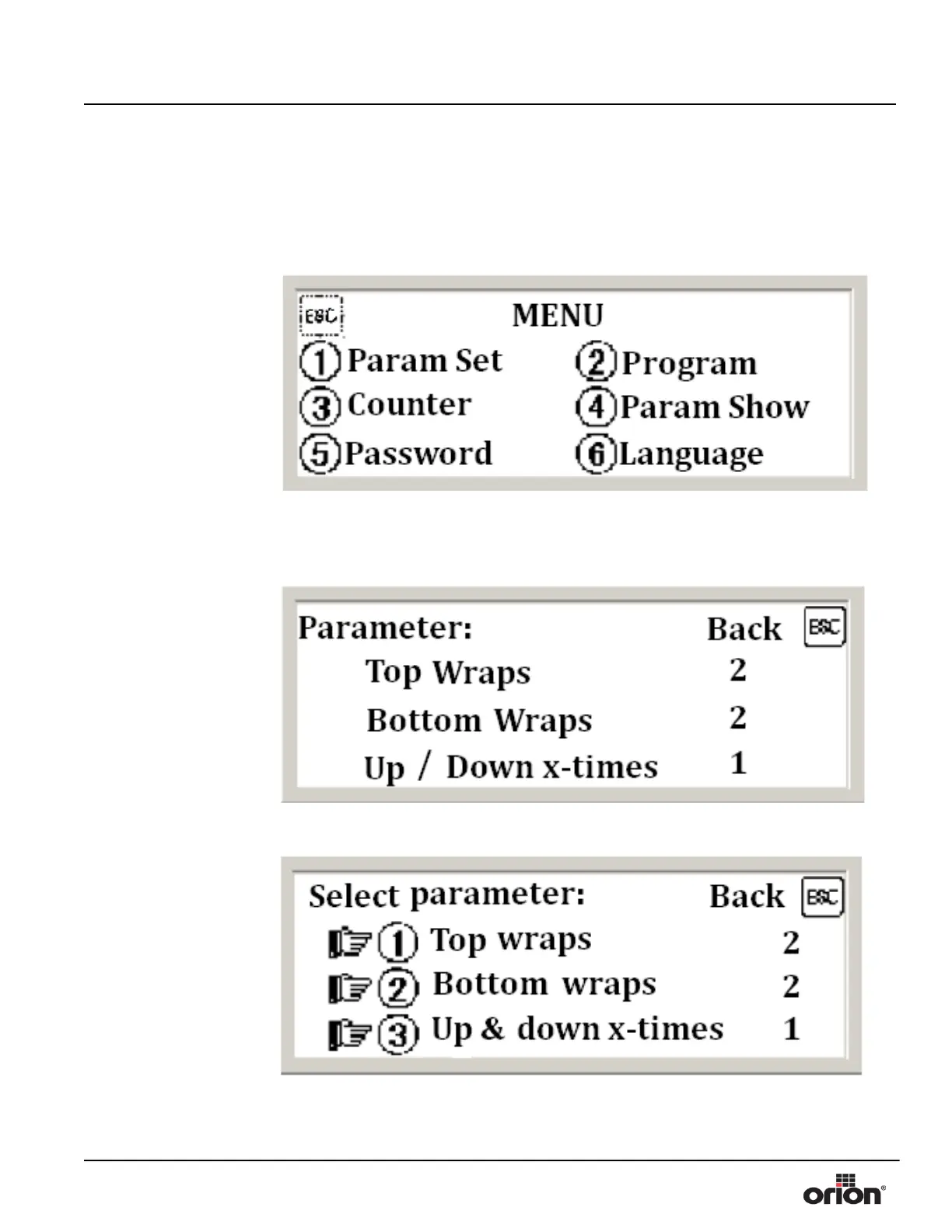
3. On the Menu screen, press 4 to show the current parameters.
4. This screen shows the current settings. If you are happy with these settings, continue
to the next section. See “Selecting a Program” on page 3 - 9.
Press ESC to go back to
the Menu Screen.
5. On the Menu Screen, press 1 for Param Set. The Select Parameter Screen will display.
Figure 3 - 6
The Menu Screen
Figure 3 - 7
The Parameter Show
Screen
Figure 3 - 8
The Parameter Set
Screen


 To Next Page