Orion Sentry by Orion
Revision 2.8 Semi-Automatic Stretch Wrapping Machine
27 August 2014 System Operation
Page 3-11
The Manual Program
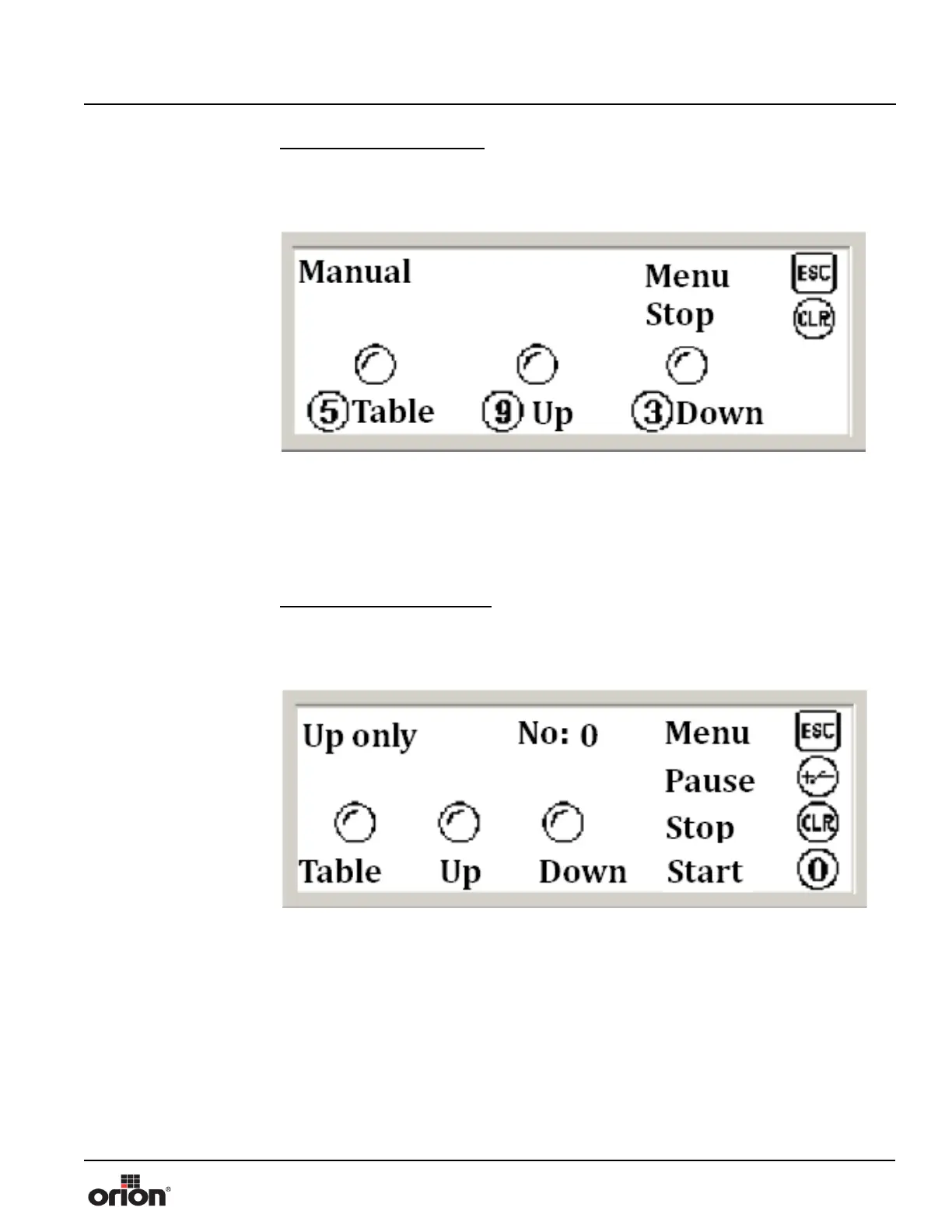
Manual mode will allow you to choose a component to jog.
1. On the Program Screen, press 2 to choose the Manual program to run.
2. Press 5 to jog the turntable. Press CLR to stop the jog.
3. Press 9 to jog the carriage up. Press CLR to stop the jog.
4. Press 3 to Jog the carriage down. Press CLR to stop the jog.
5. When you are done jogging, press ESC to choose a new program.
The Up Only Program
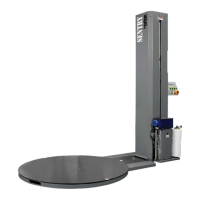
Up only mode will wrap the load up only, then the cycle will end.
1. On the Program Screen, press 3 to choose the Up Only program to run.
2. Press 0 or the green Program Execute button to start the Up Only cycle. The table,
up, and down indicators will show when the table is running and when the carriage is
moving up. While running this program, you may also choose the following:
A. Press +/- to pause the wrap cycle. The carriage will remain at the location it was at
when the machine was paused. Press 0 or the green Program Execute button to
resume the current cycle.
B. Press CLR to stop the wrap cycle. The carriage will move down to the start point.
C. You may leave the Up Only screen displayed if you are going to wrap multiple
loads. If not, press ESC when the cycle is complete to choose a new program.
Figure 3 - 15
The Manual Screen
Figure 3 - 16
The Up Only Mode
Screen


 To Next Page