Configuring and Monitoring Port Security
Reading Intrusion Alerts and Resetting Alert Flags
■ The port comes up and will block traffic from unauthorized devices it
detects.
■ If the port detects another intruder, it will send another SNMP trap, but
will not become disabled again unless you first reset the port’s intrusion
flag.
This operation enables the port to continue passing traffic for authorized
devices while you locate and eliminate the intruder. Otherwise, the presence
of an intruder could cause the switch to repeatedly disable the port.
Menu: Checking for Intrusions, Listing Intrusion Alerts, and
Resetting Alert Flags
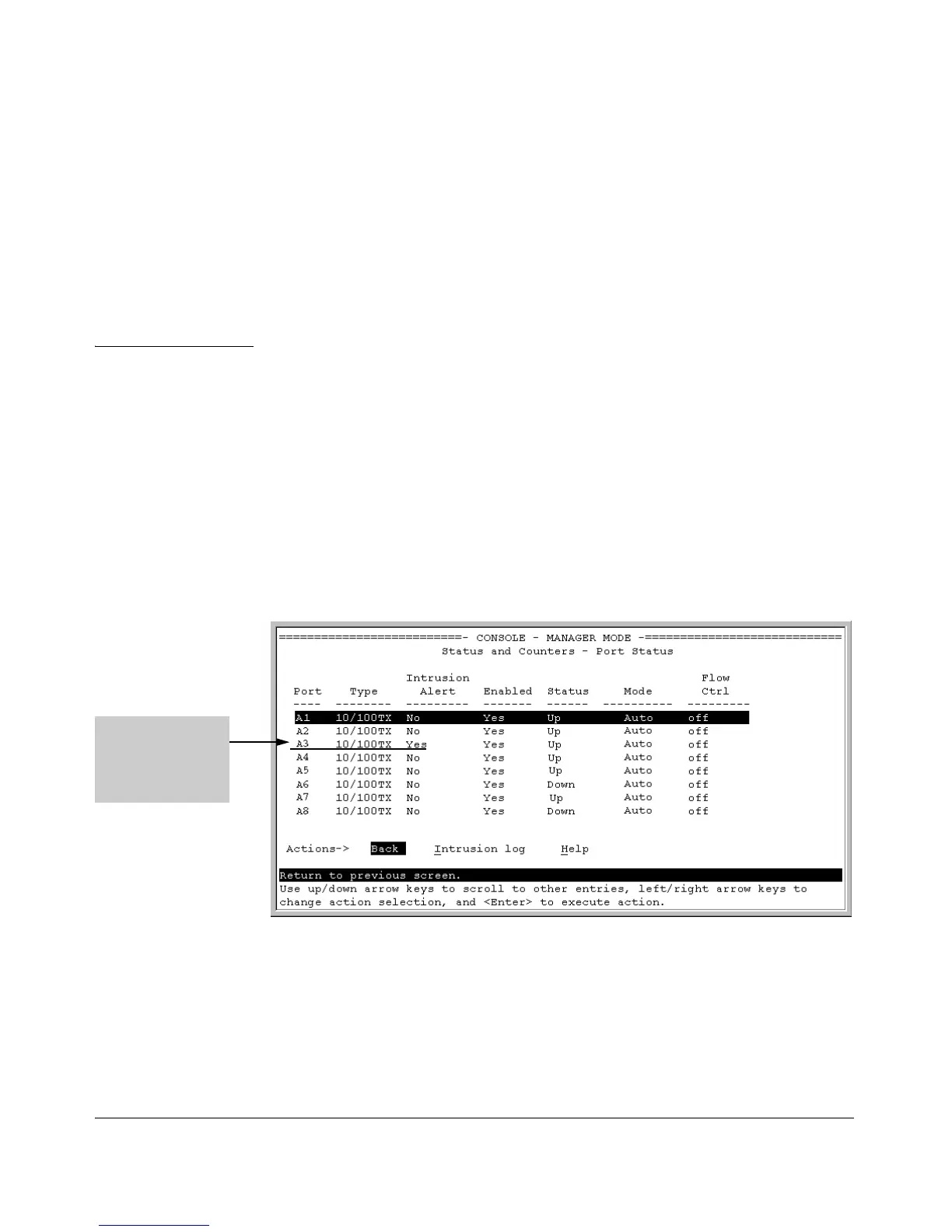
The menu interface indicates per-port intrusions in the Port Status screen, and
provides details and the reset function in the Intrusion Log screen.
1. From the Main Menu select:
1. Status and Counters
4. Port Status
The Intrusion Alert
column shows “Yes”
for any port on which
a security violation
has been detected.
Figure 12-14. Example of Port Status Screen with Intrusion Alert on Port A3
2. Type [I] (Intrusion log) to display the Intrusion Log.
12-30



 To Next Page