OB7 Collaborative Robot User Manual Version 0.6
Getting Started With OB7 / 21
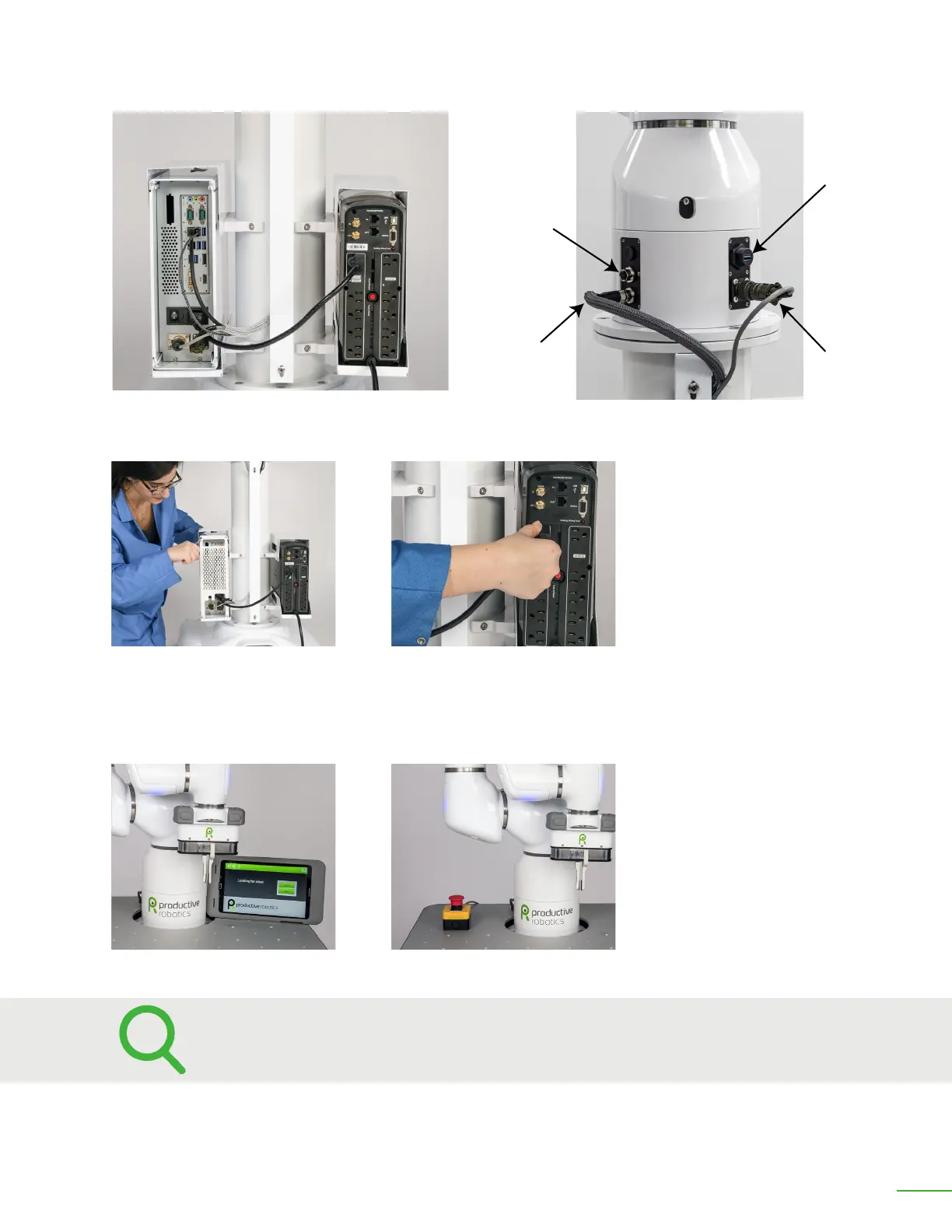
Cable Routing In the Channel
Network Cable to
General Equipment
Interface
Network to
Computer
USB Camera
Power Cable to
Robot Computer
Cables Plugged Into J1
Install Cover on Back of PC.
Power to Robot Computer
Locate Control Tablet Locate Emergency Stop
Step 7: Locate the control tablet and the Emergency Stop switch in the location chosen for your
installation.
OB7 is now ready for use!
Refer to your Risk Assessment when considering the location of your control
tablet and emergency stop button.



 To Next Page