OB7 Collaborative Robot User Manual Version 0.6
Meet OB7 / 39
OB7 CONTROL TABLET
Easy to teach does not mean OB7 is limited in its operation. Complex jobs can be set up using the
OB7 control tablet. All job settings and parameters are entered using the OB7 tablet.
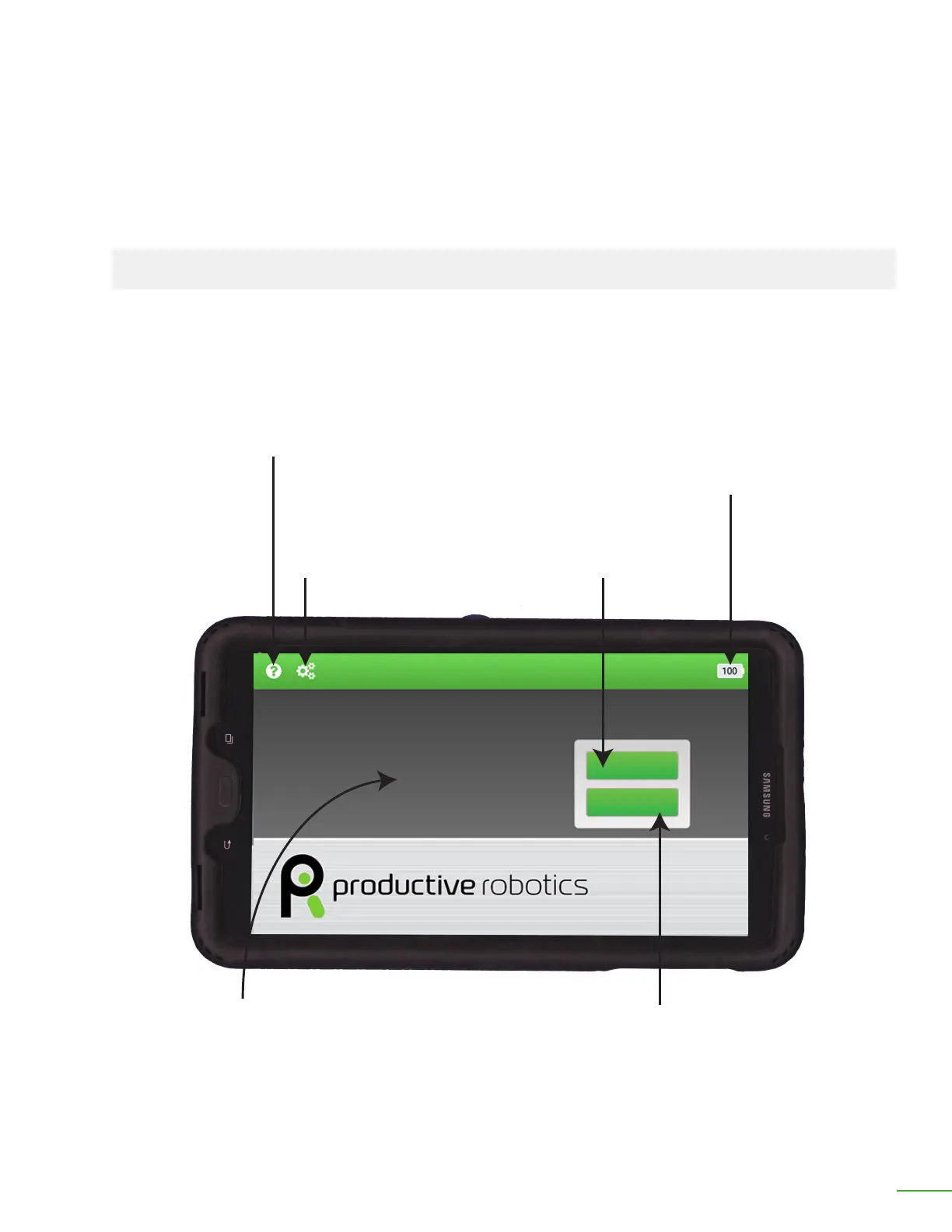
HOME
Battery:
This icon indicates the charge level of the battery.
When using the control tablet wired, this normally
should be at 100%.
When using the control tablet wirelessly, this icon
indicates when the tablet needs to be returned to
its dock for charging.
Settings:
Tap this icon to access
the settings and setup
information for OB7.
Help:
Tap this icon to access
the help instructions.
Learn:
Tap this icon to teach
OB7 a new job.
Work:
Tap this icon to start OB7
working on a job.
Messages appear here.
Learn
Work
Home Screen



 To Next Page