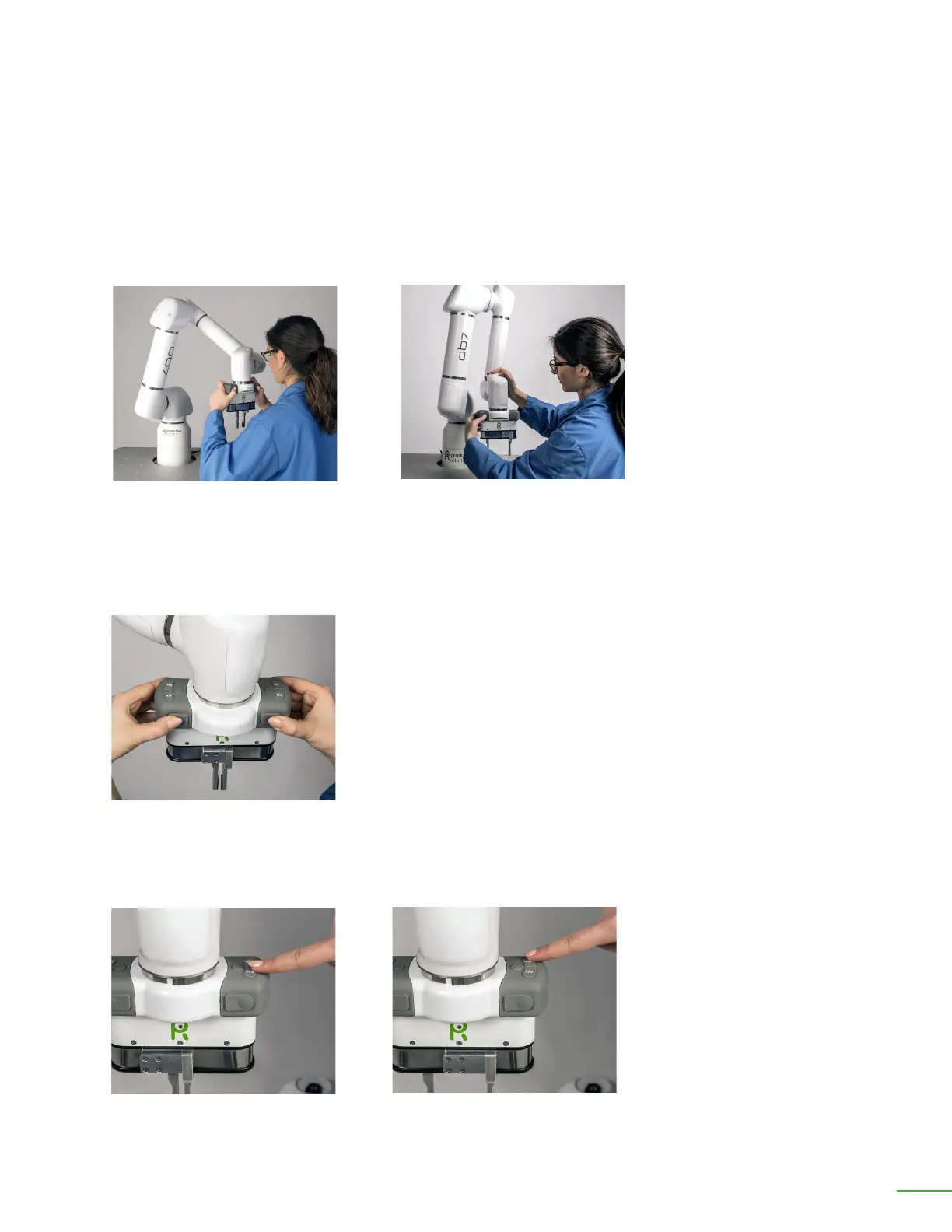
Move OB7 to a position. Take hold of the control handle. Move OB7 into any position you choose.
When you release the handle, OB7 will stay where you’ve le it.
Unlike most robots, OB7 moves freely when it is not Working. While idle, you can push OB7 around
easily by hand. If you push OB7 by grasping the handle, it will stay wherever you leave it when you
release the handle. Alternately, if you push OB7 without grasping the handle, OB7 will return to its
original position when you stop pushing it.
Push OB7 around. Notice that its arm is free and easy to push. Release the arm and notice that it
gently returns to position.
OB7 Collaborative Robot User Manual Version 0.6
Getting Started With OB7 / 29
Use the control handle to move
OB7 into a position.
Open and close the gripper:
Press ▶ı◀ to close the gripper.
Press ◀ı▶ to open the gripper.
OB7 arms can be easily pushed and
returned back to position.
OB7 can be easily moved using the
control handle.



 To Next Page