OB7 Collaborative Robot User Manual Version 0.6
Getting Started With OB7 / 33
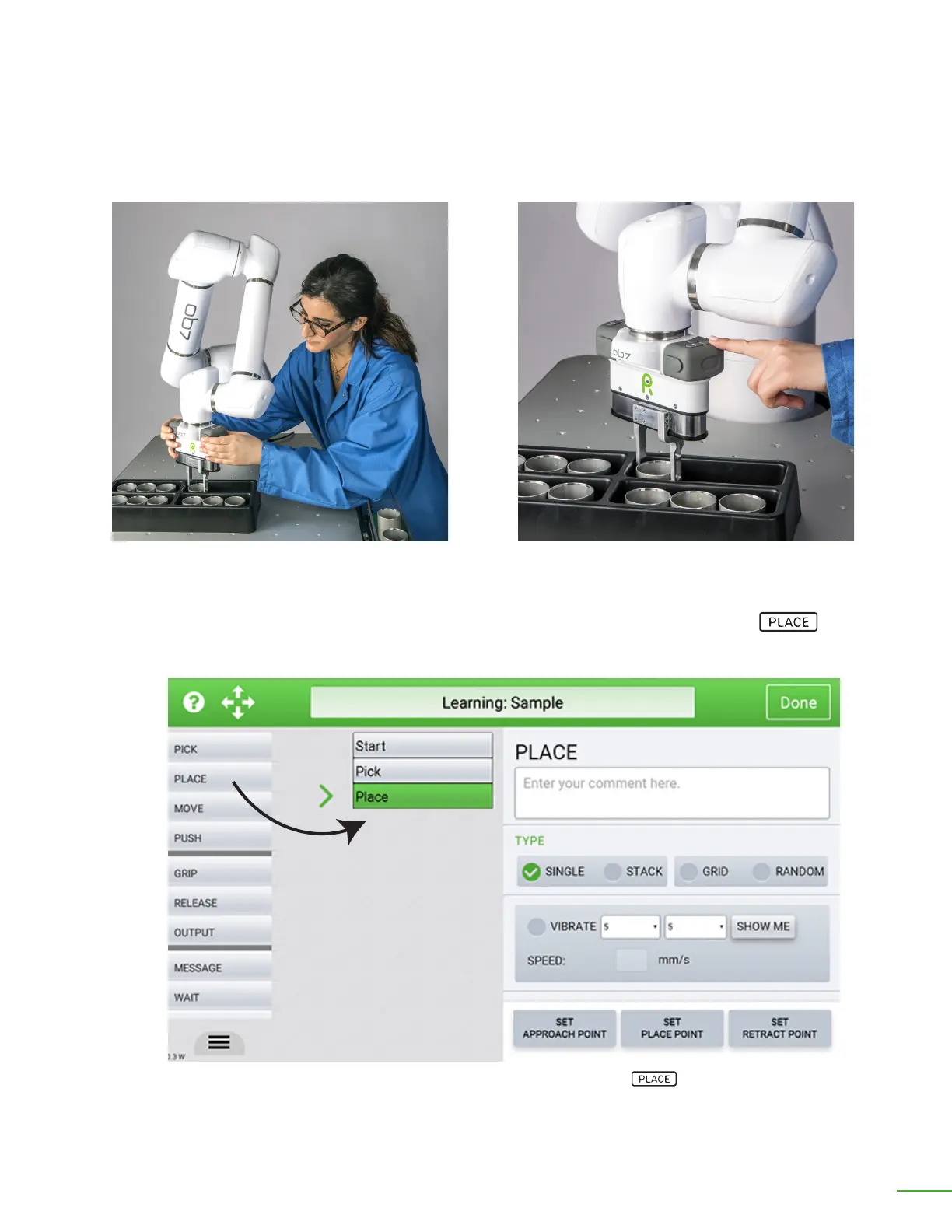
Move to place position.
Press ◀ı▶ to open the gripper.
and release the object.
Next, we show OB7 where to place the object. Move OB7 to locate the object in the position where
it should be placed. Then, press the ◀|▶ button to open the gripper. OB7 learns where to place the
object.
OB7 has now learned where to place the object. Again, OB7 automatically inserts a “Place” tile into
the job.
OB7 learns how to place the object and automatically adds a “Place” tile to the job.



 To Next Page