OB7 Collaborative Robot User Manual Version 0.6
Meet OB7 / 51
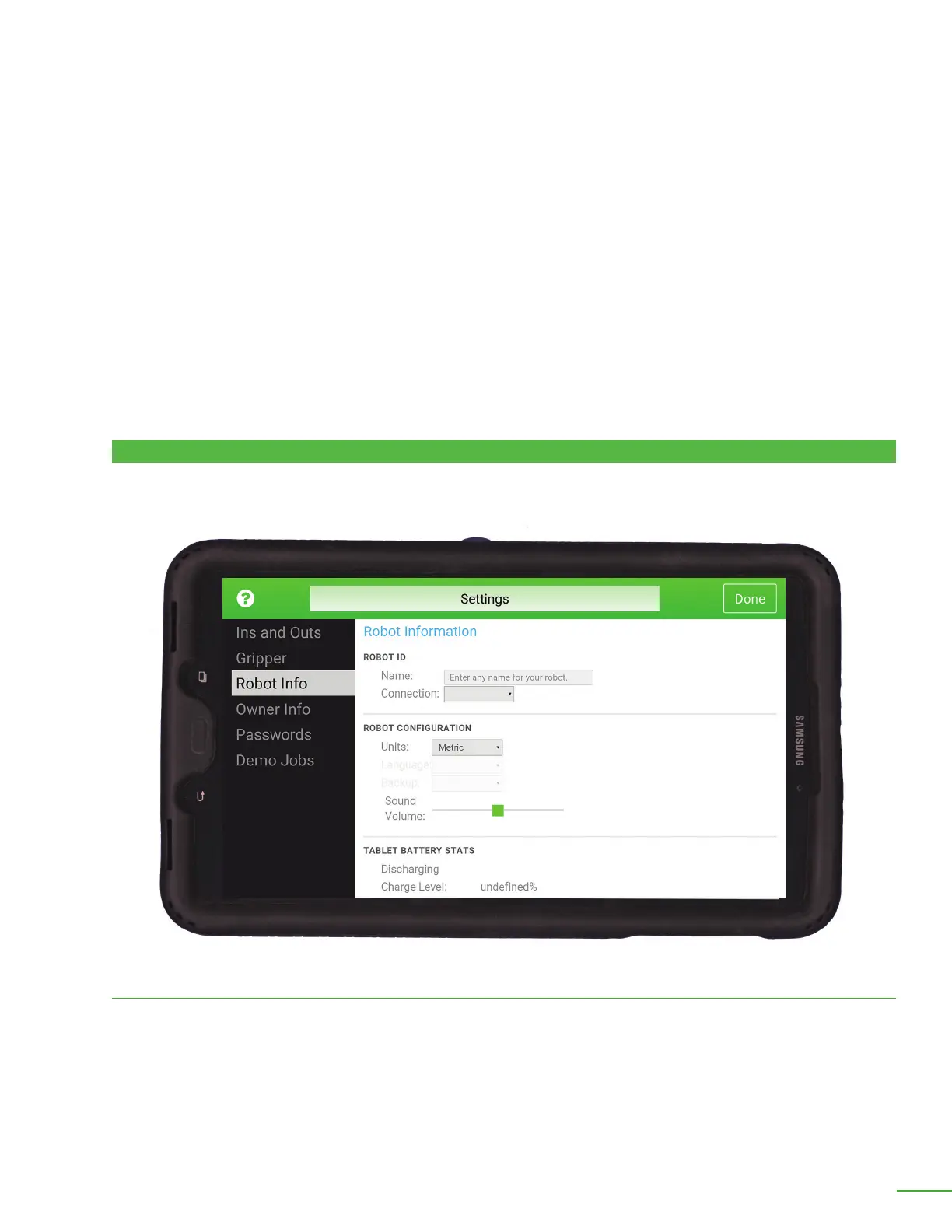
Robot ID:
Name: Enter the name of your robot. This name will be used in reports, notications and when
connecting the control tablet wirelessly. This name is displayed on the top of the table on the home
screen.
Connection: Select whether the control tablet is connected to the robot with a USB cable or
wirelessly.
ROBOT INFO
Center of Mass (X,Y and Z): enter the distance from the center of mass of the gripper to tool plate
ange on OB7. Generally, X and Y are zero, and Z measures the distance from the center of mass
of the gripper to the tool mounting plate ange on OB7
Width: Enter the default open and close widths of this gripper. Note: This function is not available
on all grippers.
Speed: Enter the opening and closing speed for the gripper as a % of the fastest rate. Note: This
function is not available on all grippers.
Max Force: Set the maximum force to be applied to the object grasped. Note: This function is not
available on all grippers.
Reference gripper now: This button will cycle the gripper. Note: This function is not available on
all grippers.
This screen is used to set up basic conguration of you robot.



 To Next Page