OB7 Collaborative Robot User Manual Version 0.6
OB7 Control Functions / 92
All of these override functions require a gripper with these control capabilities.
Enter descriptive comment.
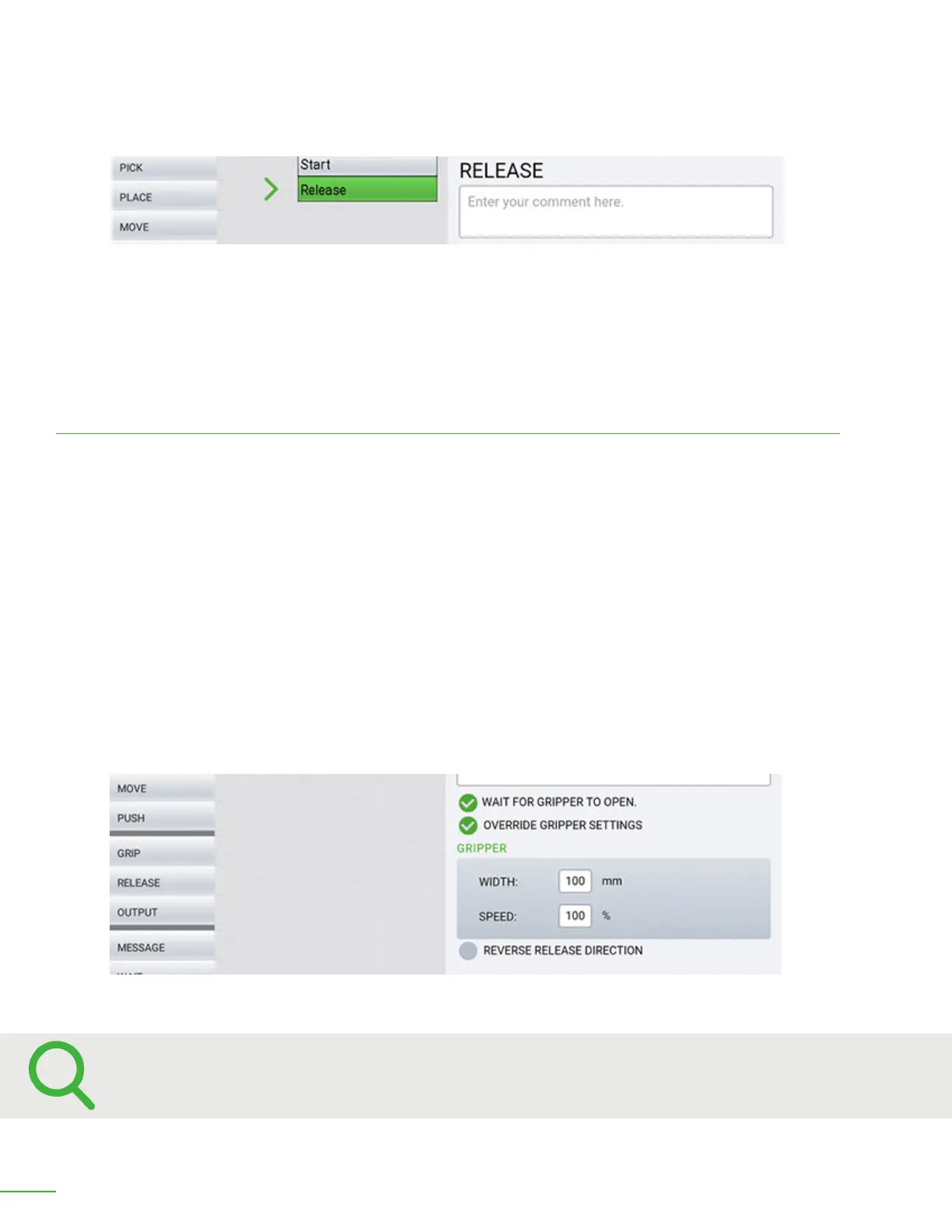
Set the Override Gripper Settings to limit the amount OB7 will open.
Comment: Enter any comments here. Entering a comment is optional.
Wait for Gripper to Open: The job will pause until the gripper has fully opened or it has fully released
the object. If a vacuum gripper is being used, this will cause the job to pause until the vacuum is
released.
Override Gripper Settings
Open Width: Normally the gripper will open fully when releasing the object. In some cases it is
desirable to limit the amount the gripper will open. This could be to keep the cycle time of this job as
short as possible. You can limit the amount the gripper opens by entering in that number here.
Speed: It is sometimes desirable to slow the speed at which the gripper opens. This can be useful to
prevent the object from shiing position as it is released. Normally the gripper will open at full speed.
To decrease the opening speed, enter the desired percentage of speed here.
If you are using a vacuum gripper:
Vacuum turn o delay time: Set an extra time delay to assure that the vacuum grip has fully
released before continuing.
Reverse Release direction: This option will cause the gripper to close when releasing. This is
necessary if an object is gripped from its inside.



 To Next Page