Prodys S.L. Tel: +34 91 6896880 Fax: +34 91 6943777 Email: sales@prodys.net Web: www.prodys.com
Page 22
III.5 Selecting the interface
Quantum units support different data interfaces to transmit and receive audio.
Before making the IP connection the user has to select what data interface will
be used for the data connection: Ethernet (wired), 3G/4G (wireless), Wi-Fi
(wireless) or custom (a combination of any). In this chapter we will only explain
how to set the 3G/4G or the Ethernet interfaces to stream audio.
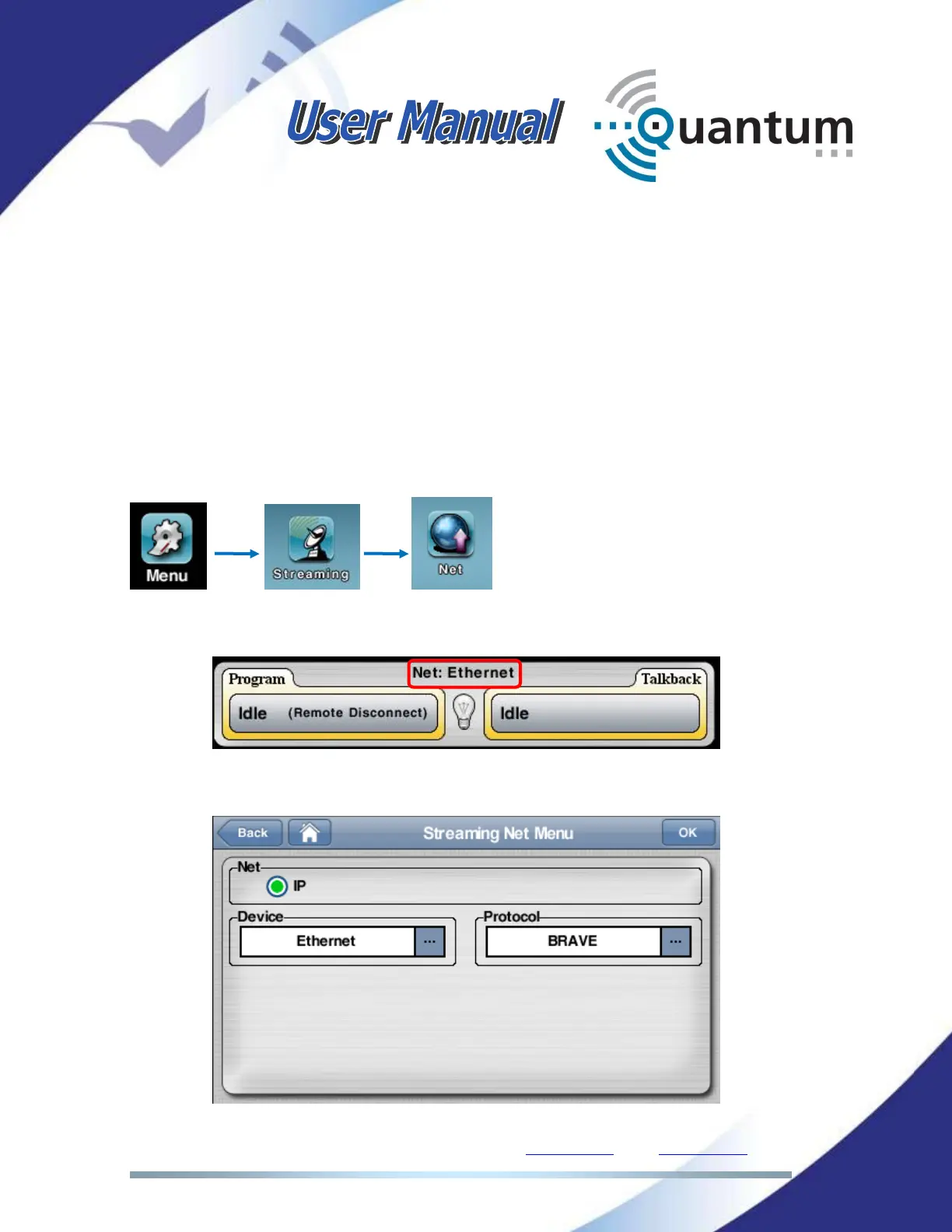
To select 3G/4G as streaming interface, please click on the following icons on the
main menu:
Or use the shortcut:
In the Streaming Net Menu, check the desired interface:



 To Next Page