Prodys S.L. Tel: +34 91 6896880 Fax: +34 91 6943777 Email: sales@prodys.net Web: www.prodys.com
Page 26
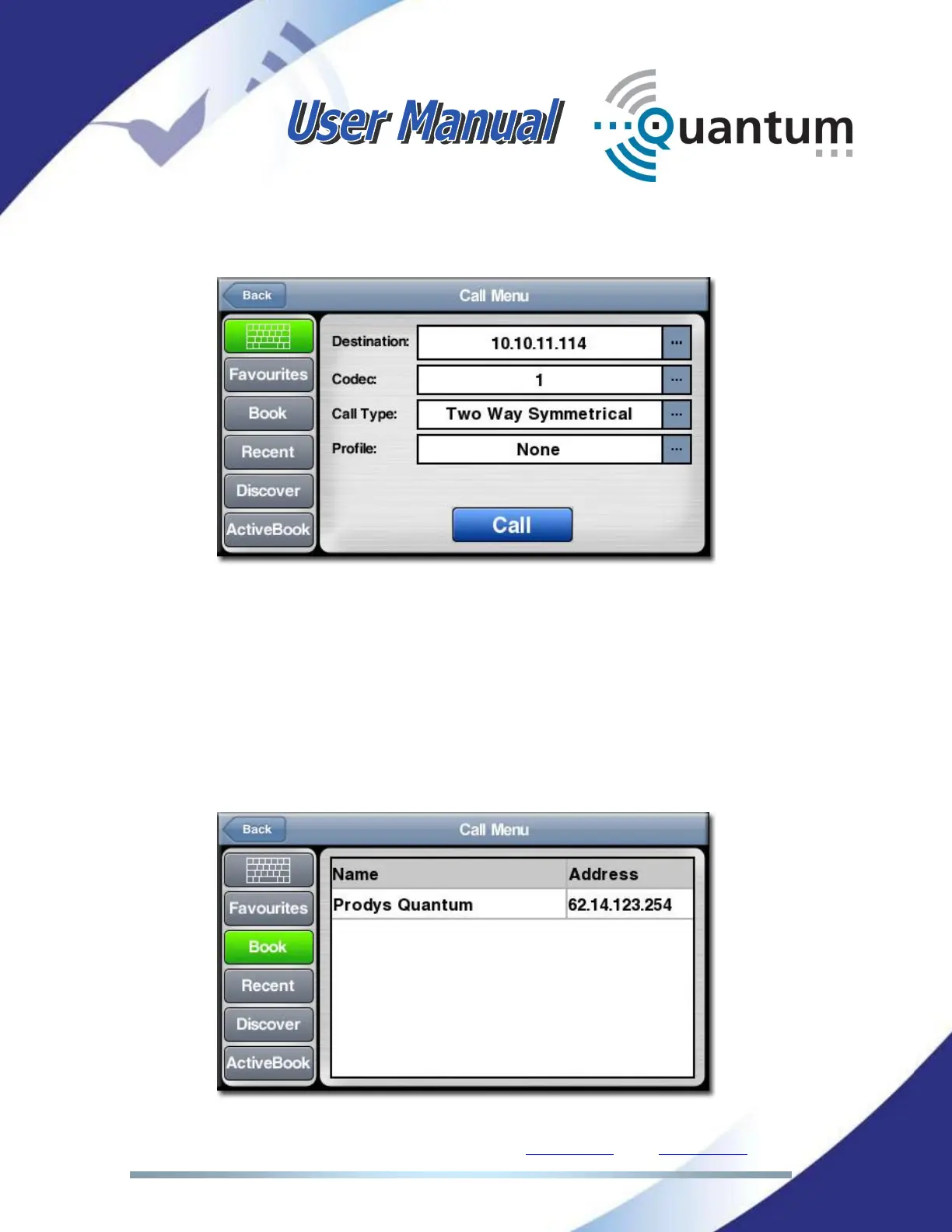
To establish the connection on the Program or Talkbalk line, just click on the
corresponding connection bar. The dial window will appear as follows:
Just enter the destination IP address, the number of codec (1 or 2 if you are
calling to a double codec), the type of call and the connection Profile and press
the ‘Call’ button.
The destination address can be dialed manually pressing the “keyboard” box or
can be chosen from the phone book, from the recently dialed addresses or from
those units automatically discovered by Quantum in the same network. By
pressing at the “Book” box in the Dial Window, the following window will be
shown:



 To Next Page