17
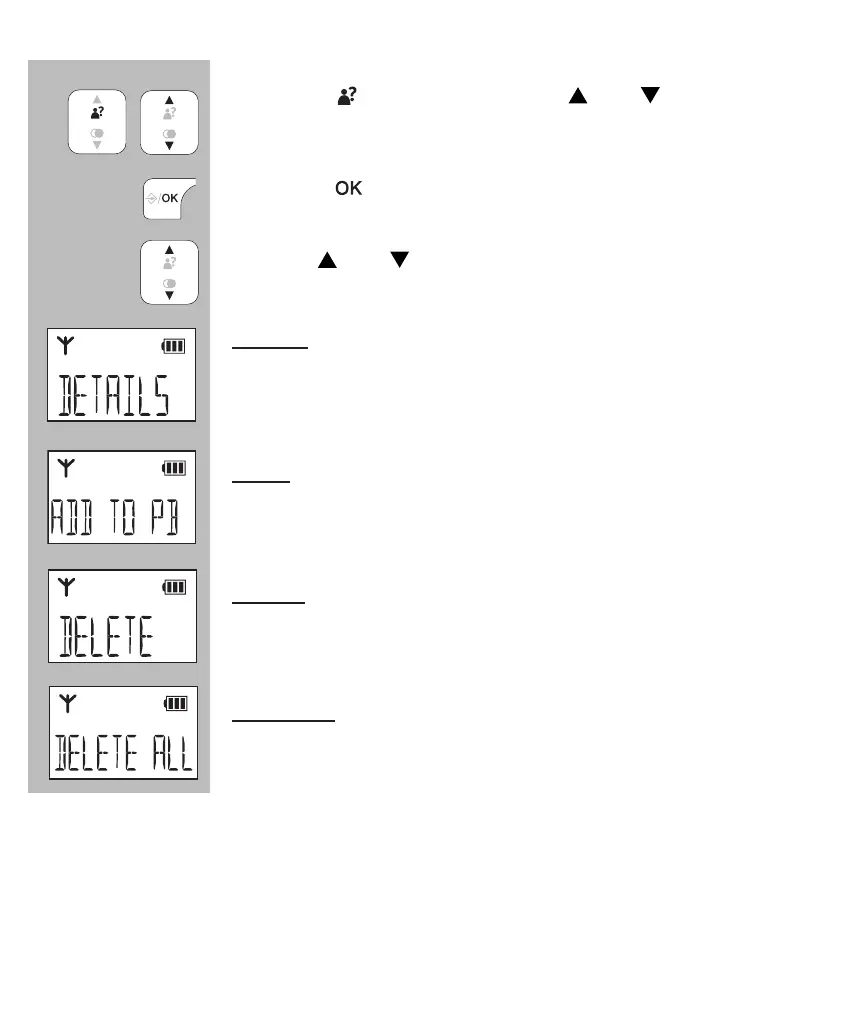
5.4 DETAILS, SAVE OR DELETE:
press the
button and use the and buttons to
select the desired number
press the
button
use the and buttons to choose one of the following
options:
details:
choose this option to show the date of the call, now
press the # button to display the time of this call (*)
save:
select this option to add the number to the phonebook
memory of the telephone
delete:
use this option to only delete the selected call from the
memory
delete all:
use this option to delete the entire last dialled number
memory


 To Next Page