34
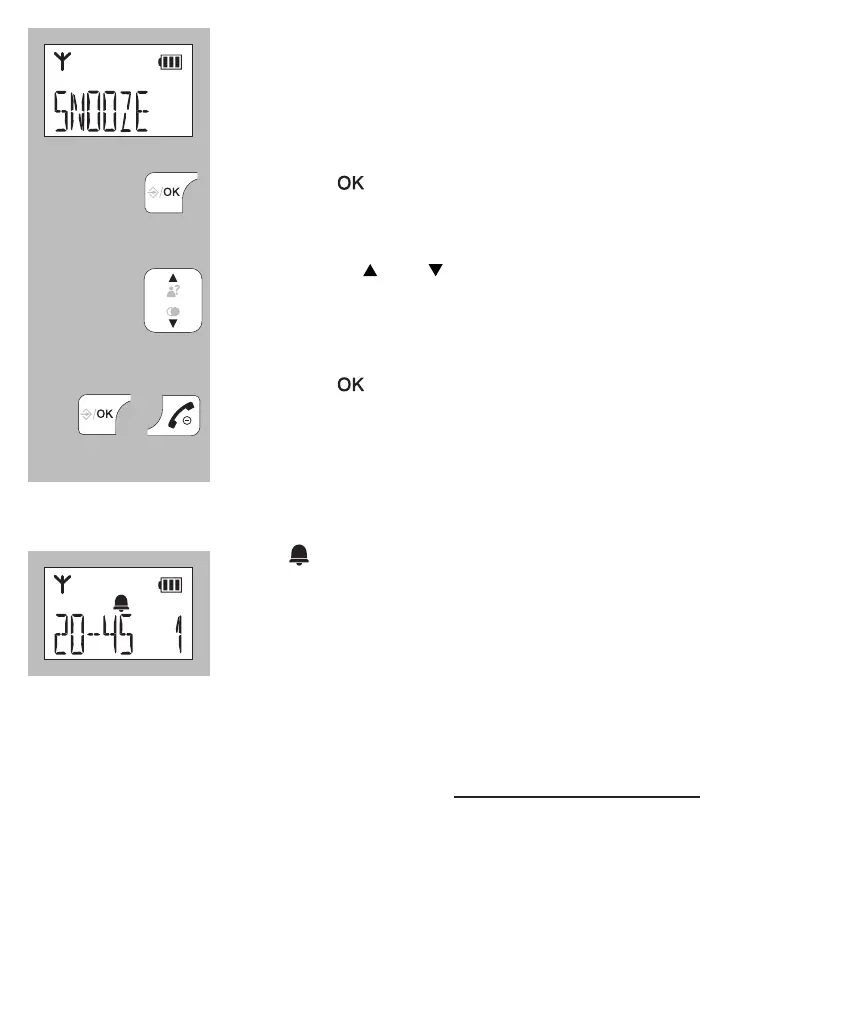
the display will show the word [ SNOOZE ]
press the
button
now use the and buttons to enable or disable the
snooze function (see below an explanation of the snooze
function)
press the button to save your settings and press the
End button to return the handset to standby mode
9.4 ALARM OPERATION:
• the
symbol appears in the display when the wake-
up signal is enabled
• at the set time, the alarm will sound for 45 seconds
or until you press a random button to stop the alarm
signal beforehand
• when the [ snooze ] function is enabled and you press a random but-
ton to stop the alarm signal, the alarm will sound again after 7 minutes;
you can disable an enabled snooze function by pressing and holding
the End button for at least 5 seconds while the alarm sounds (or by
disabling the alarm function according to the instructions in the previous
paragraph)
• the alarm is not repeated daily
• the alarm volume is the same as the set ring volume; if the ring volume
is set to 0 (off), the alarm signal is set to volume level 1


 To Next Page