32
9 CLOCK & ALARM (WAKE-UP) FUNCTION
9.1 INTRODUCTION:
In standby mode, the display of the handset(s) shows the time. Moreover,
you can program an alarm or wake-up time (for each handset).
9.2 TIME AND DATE SETUP:
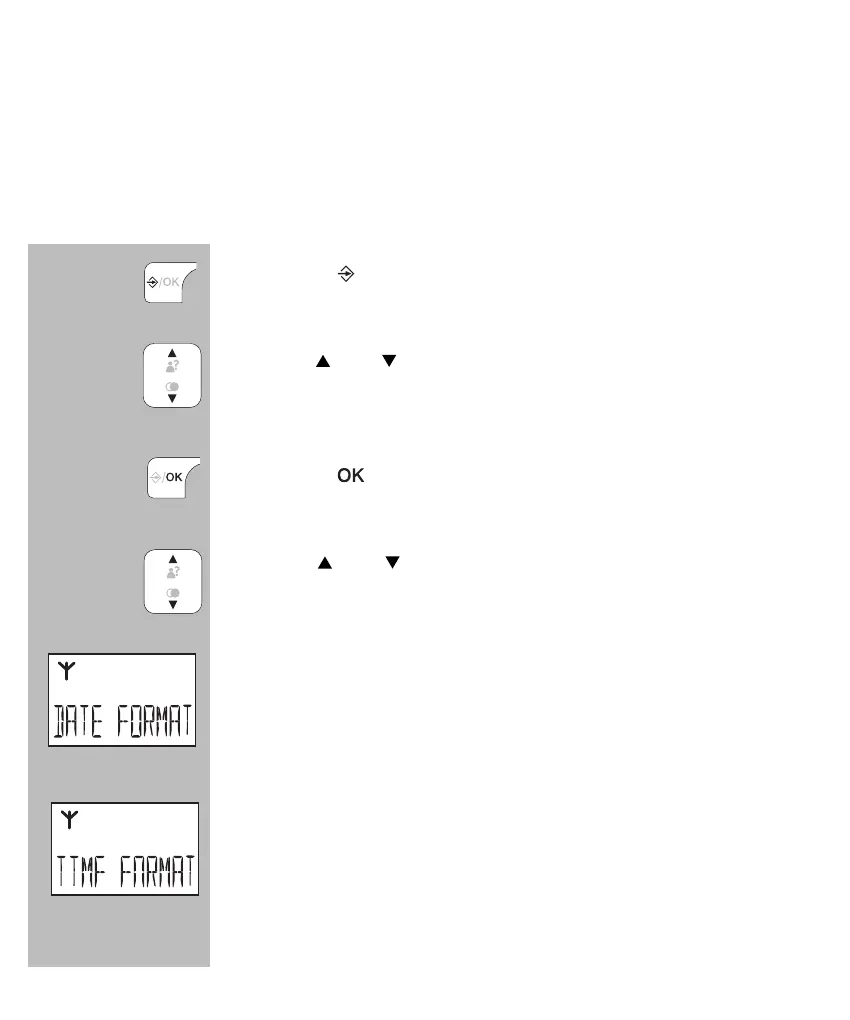
press the
button
use the
and buttons to select the option [ DATE &
TIME ]
press the
button
use the
and buttons to choose one of the following
options:
[ DATE FORMAT ]
select this option to set the time display format:
day-month-year or month-day-year
[ TIME FORMAT ]
use this option to switch between the 12-hour or 24-
hour clock. For example at quarter past nine in the
evening:
12-hour clock: 9:15 PM / 24-hour clock: 21:15


 To Next Page