3
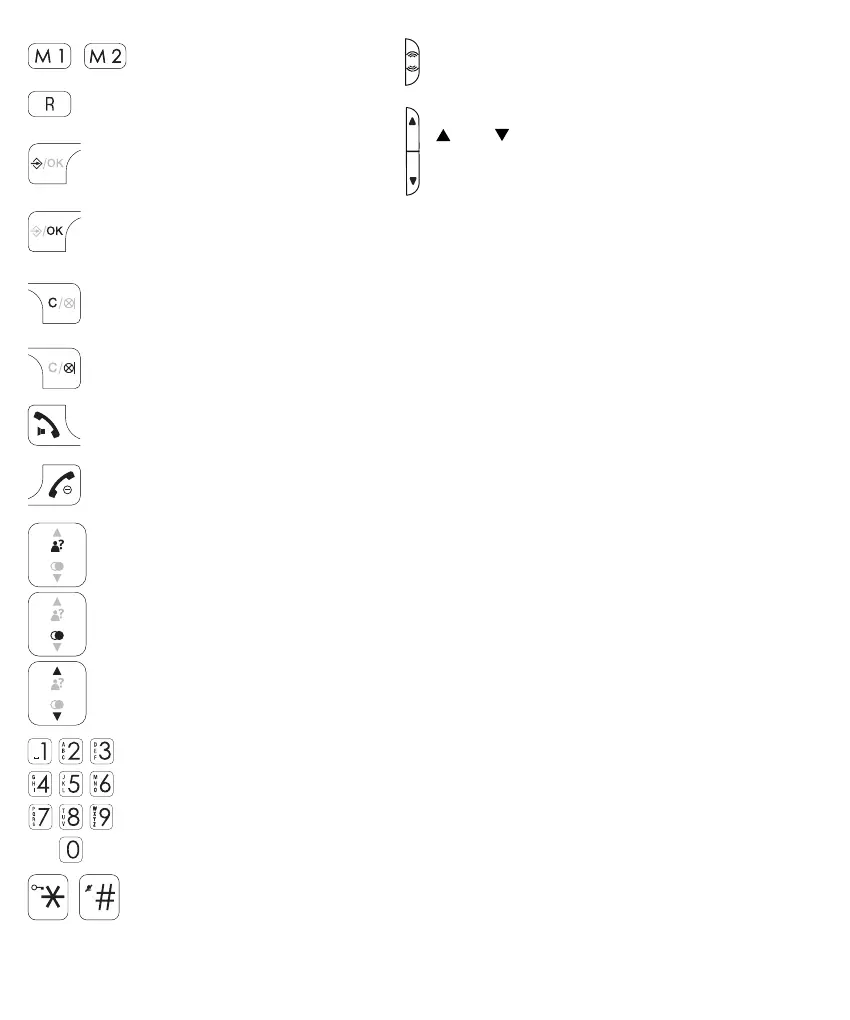
direct memory buttons
R button: function button for
certain telecom services
in standby mode, press to open
the menu
during setup, press to conrm your settings
correction button when entering phone numbers or names
during setup, press to go back one step
in stand-by mode, press to start an intercom call (PDX-2608 DUO only)
during a call, press to switch off the microphone
press to answer an incoming call or to start a phone conversation
during a call, press again to enable or disable the speaker function
press to end a call
press and hold (> 5 sec.) to switch off the handset
in standby mode, press to open the Caller-ID memory
in standby mode, press to open the last dialled number memory
press to scroll through memories or settings
0-9 buttons: to dial phone numbers and to enter memories
‘asterisk’ and ‘pound’ buttons: used for e.g. telecom banking
+ extra:
button *: press and hold 2 seconds to lock and unlock the keyboard
button #: press and hold 2 seconds so switch-OFF and ON the ringer signal
BOOST button: during a call, press to en-
able the extra amplier
and buttons: during a call, press to
increase or decrease the volume


 To Next Page