EasyManua.ls Logo

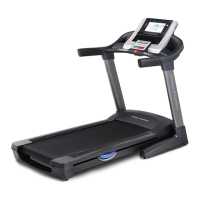
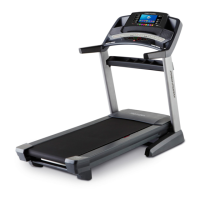
ProForm 4.0 - User Manual

ProForm 4.0
36 pages
Print Icon
To Next Page IconTo Next Page
Loading...
Serial Number
Decal
Model No. PATL40907.0
Serial No.
CAUTION
Read all precautions and instruc-
tions in this manual before using
this equipment. Save this manual
for future reference.
QUESTIONS?
If you have questions, or if there
are missing or damaged parts,
please see the dealer contact in-
formation on the back cover of
this manual or on the included
service card.
Write the serial number in the space
above for reference.
USER'S MANUAL

Questions and Answers

ProForm 4.0 Specifications

General IconGeneral
Incline0 – 10% Incline
Speed0 – 10 MPH Speed
Weight Capacity250 lbs
DisplayLCD
FoldingSpaceSaver® Design

Summary

Warning Decal Placement

Important Precautions

Assembly

Operation and Adjustment

How to Plug in the Power Cord

Instructions on how to connect the treadmill to a power outlet safely.

How to Turn on the Power

How to Use the Manual Mode

Step-by-step guide to operating the treadmill in manual mode.

How to Use a Cross Training Workout

How to Use a Classic Aerobic Workout

How to Use the iFIT Monthly Challenge

How to Adjust the Cushioning System

How to Fold and Move the Treadmill

How to Fold the Treadmill for Storage

Steps for folding the treadmill for storage.

How to Lower the Treadmill for Use

Troubleshooting

Exercise Guidelines

Related product manuals