EasyManua.ls Logo

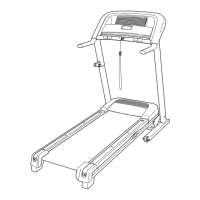
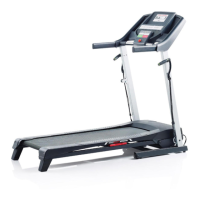
ProForm 400C - User Manual

ProForm 400C
26 pages
Print Icon
To Next Page IconTo Next Page
Loading...
M
odel No. PATL30506.0
Serial No.
CAUTION
Read all precautions and instruc-
tions in this manual before using
this equipment. Save this manual
for future reference.
Serial Number
Decal
USER'S MANUAL
QUESTIONS?
If you have questions, or if any
parts are missing or damaged,
PLEASE CONTACT OUR CUS-
TOMER SERVICE DEPARTMENT
DIRECTLY.
Call toll-free:
800-830-7240
E-mail:
service@goodfamily.cc
Goodfamily’s Web site:
www.goodfamily.cc
ICON’s Web site:
www.iconfitness.com
Goodfamily is an authorized dealer of this treadmill in the
territory of mainland China. This treadmill is designed and
manufactured by ICON Health & Fitness, Inc.

Questions and Answers

  • A
    Amy RichardsJul 30, 2025
    What to do if ProForm 400C Treadmill power turns off during use?
    • D
      dmeltonJul 30, 2025
      If your ProForm Treadmill turns off during use, try these steps: First, check the circuit breaker located near the power cord. If it has tripped, wait five minutes, then press the switch back in. Ensure the power cord is securely plugged in; if it is, unplug it, wait five minutes, and plug it back in. Remove and reinsert the key from the console. Also, verify that the on/off switch is in the "on" position.
  • J
    Jill WallaceAug 6, 2025
    How to troubleshoot ProForm 400C Treadmill that won't turn on?
    • D
      Daniel JohnsonAug 6, 2025
      If your ProForm Treadmill isn't turning on, first ensure the power cord is plugged into a properly earthed outlet. If using an extension cord, it should be a 3-conductor, 1 mm[2] (14-gauge) cord no longer than 1.5 m (5 ft.). Note that the treadmill isn't compatible with GFCI-equipped outlets. After plugging in, check that the key is inserted into the console. Also, check the circuit breaker near the power cord; if the switch protrudes, wait five minutes, then press it back in to reset it. Finally, verify the on/off switch near the power cord is in the "on" position.
  • S
    sandra04Nov 13, 2025
    How to fix ProForm 400C walking belt slipping?
    • J
      Jose ParksNov 13, 2025
      If the walking belt on your ProForm Treadmill slips when walked on, first remove the key and unplug the power cord. Then, using the hex key, turn both rear roller bolts clockwise 1/4 of a turn. When the walking belt is correctly tightened, you should be able to lift each edge of the walking belt 5 to 7 cm (2 to 3 in.) off the walking platform. Keep the walking belt centered. Plug in the power cord, insert the key, and carefully walk on the treadmill for a few minutes. Repeat until the walking belt is properly tightened. If the walking belt is off-center, first remove the key and unplug the power cord. If the walking belt has shifted to the left, use the hex key to turn the left rear roller bolt clockwise 1/2 of a turn; if the walking belt has shifted to the right, turn the left bolt counte...
  • M
    Martin CannonNov 21, 2025
    How to fix ProForm Treadmill walking belt slowing down?
    • J
      Jack CookNov 21, 2025
      If the walking belt slows down when walked on your ProForm Treadmill, make sure you are using a suitable extension cord, if needed. Use only a 3-conductor, 1 mm[2] (14-gauge) cord that is no longer than 1.5 m (5 ft.). Also, check the walking belt tension. Remove the key and unplug the power cord. Using the hex key, turn both rear roller bolts counterclockwise 1/4 of a turn. When the walking belt is properly tightened, you should be able to lift each edge of the walking belt 5 to 7 cm (2 to 3 in.) off the walking platform. Be careful to keep the walking belt centered. Then, plug in the power cord, insert the key, and run the treadmill for a few minutes. Repeat until the walking belt is properly tightened. Remember that if the walking belt is overtightened, treadmill performance may decrease...

Summary

Important Safety Precautions

Getting Started with Your Treadmill

Product Overview and Parts Identification

Familiarize yourself with the treadmill components before initial use.

Treadmill Assembly

Operating and Adjusting Your Treadmill

Power Cord Connection

Connect the power cord correctly to the treadmill and outlet for safe operation.

Console Features and Startup

Understand console functions and how to turn on the treadmill using the key.

Manual Mode Operation

Step-by-step guide to using the treadmill in manual mode for workouts.

Preset Program Usage

Instructions for selecting and running pre-programmed workouts on the console.

Information and Demo Modes

Access usage data, change units, and manage demo mode settings.

Treadmill Folding, Moving, and Deployment

Folding for Storage

Safely fold the treadmill into its storage position to save space.

Moving the Treadmill

Proper techniques for moving the folded treadmill to a new location.

Unfolding the Treadmill for Use

Instructions on how to safely unfold the treadmill from its storage position.

Troubleshooting Common Issues

Power and Console Issues

Solutions for problems related to power not turning on or console display malfunctions.

Walking Belt Performance Problems

Diagnosing and fixing issues like belt slowing, centering, or slipping.

Fitness and Workout Guidance

Exercise Intensity and Training Zones

Using heart rate to guide intensity for fat burning and aerobic fitness.

Workout Structure and Frequency

Guidelines for workout components and recommended exercise frequency.

Suggested Stretches

Ordering Replacement Parts

Limited Warranty

ProForm 400C Specifications

General IconGeneral
FoldableYes
Running Area16" x 50"
Incline0-10%
Speed0-10 mph
Weight Capacity250 lbs
DisplayLCD
Programs18

Related product manuals