11
Remote control - Inserting batteries
Switching the TV On and Off
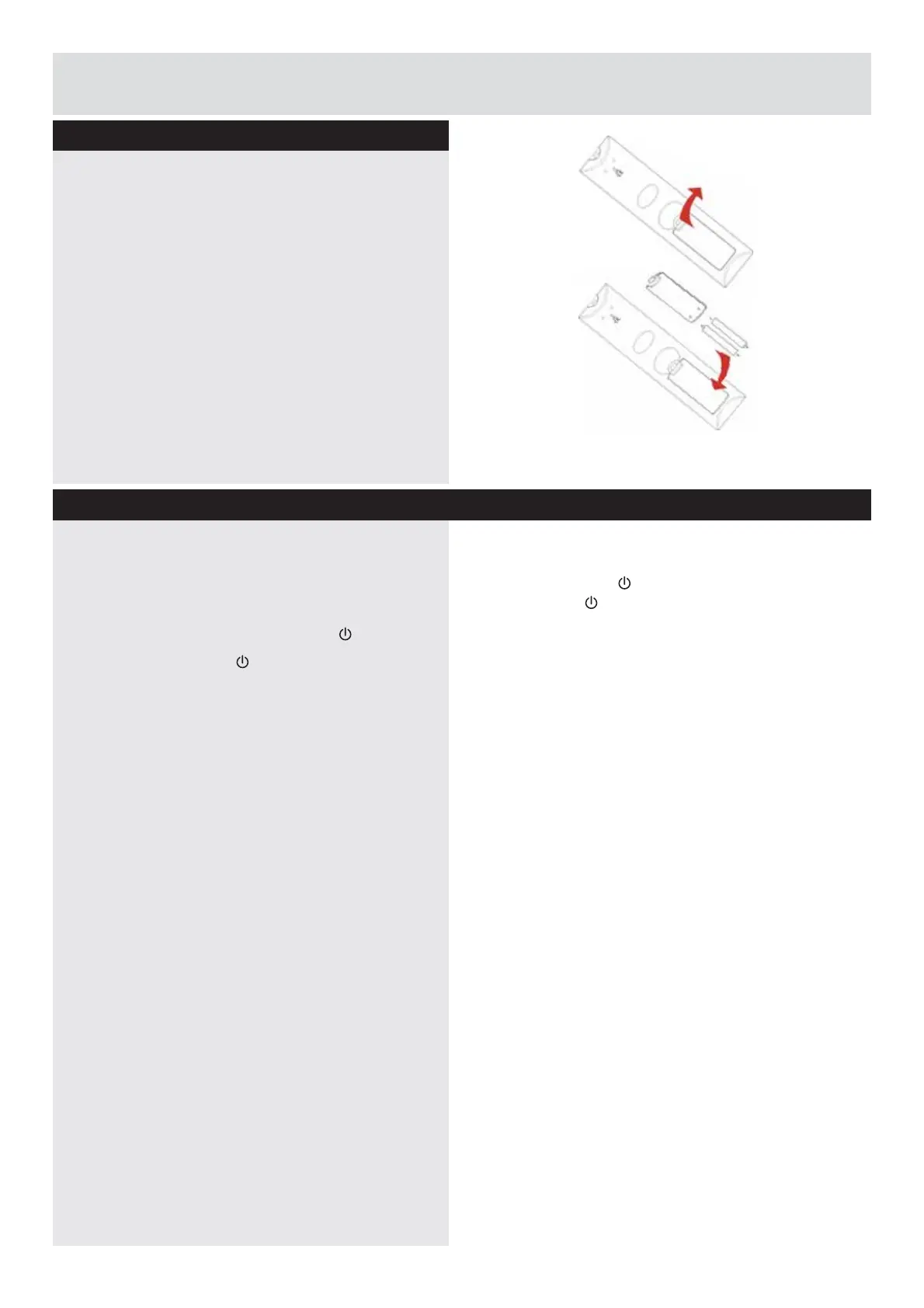
Remove the battery cover on the back of the
remote control, gently push down and pull
backwards at the same time as shown .
Insert two
AAA/R3
RUHTXLYDOHQWW\SHEDWWHULHV
Ensure the batteries are inserted the correct way
and replace the battery cover.
Note:
When the remote control is not going to
be used for long periods of time, the batteries
should be removed. Otherwise the remote
control may be damaged, caused by battery
leakage and corrosion.
6ZLWFKLQJWKH792Q
With power cord plug connected to the mains
power socket and TV in ‘
Standby
’ mode.
a: The Remote control;
Press the “
” button.
b: The TV;
Press the
button on the side of
the TV.
6ZLWFKLQJWKH792II
Either press the “
” button on the remote control
or press the
button on the side of the TV, the
TV will then switch to standby mode.
AAA/R3 X2
Batteries
Getting Started
Downloaded from www.vandenborre.be



 To Next Page