16
Connections
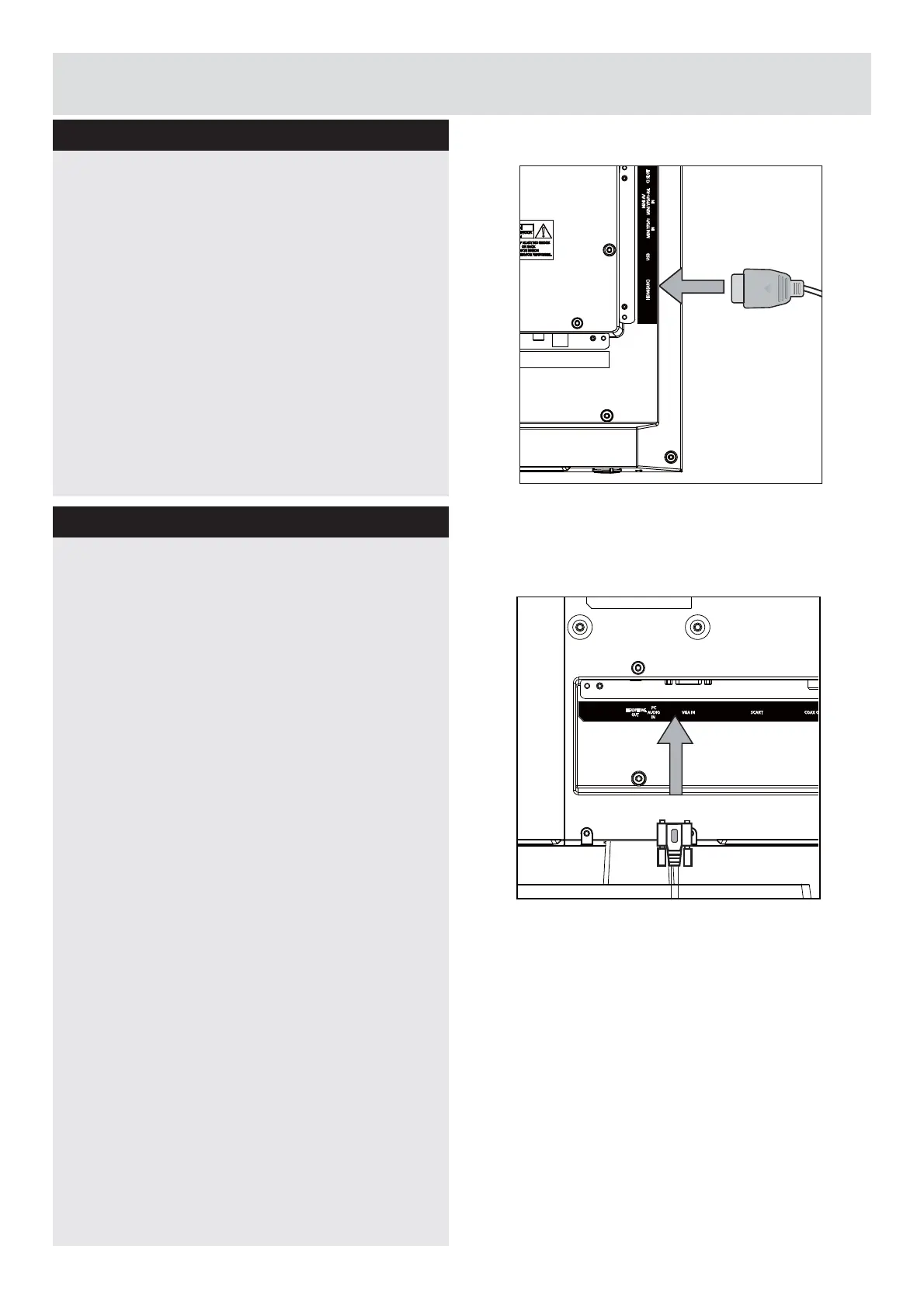
HDMI Connections
VGA Connections
+'0,OHWV\RXHQMR\KLJKGH¿QLWLRQGLJLWDOLPDJHV
DQGKLJKTXDOLW\VRXQGE\FRQQHFWLQJWKH79WR
external devices such as DVD players, set top
ER[HVRUJDPLQJHTXLSPHQW
Power off both the TV and the device before
making any connections.
For more information, refer to your device’s own
instruction book.
When connecting, switch “Source” to “
HDMI
”.
See, “Input Selection” section.
Note:
HDMI cable is not supplied.
<RXFDQFRQQHFWDFRPSXWHU3&WRWKH79WR
display your computer’s screen image on the TV.
Power off both computer and TV
before
making
any connections.
Use a 15-pin D-sub display cable to connect
a PC to the TV. Use an audio cable between
PC AUDIO inputs on the left side of the TV
and audio output on your PC to enable sound
connection.
When the connection is made, switch “Source”
to “PC”. See “Input selection” section.
Set the resolution that suits your viewing
UHTXLUHPHQWV5HVROXWLRQLQIRUPDWLRQFDQEH
found in the “Appendix parts”.
Note:
The VGA cable is not supplied.
HDMI(ARC) CI SLOTUSB
MINI AV
MINI YPbPr-R/L
IN
MINI YPbPr
IN
HEADPHONE
OUT
PC
AUDIO
IN
VGA IN SCART COAX
Downloaded from www.vandenborre.be



 To Next Page