7
1.
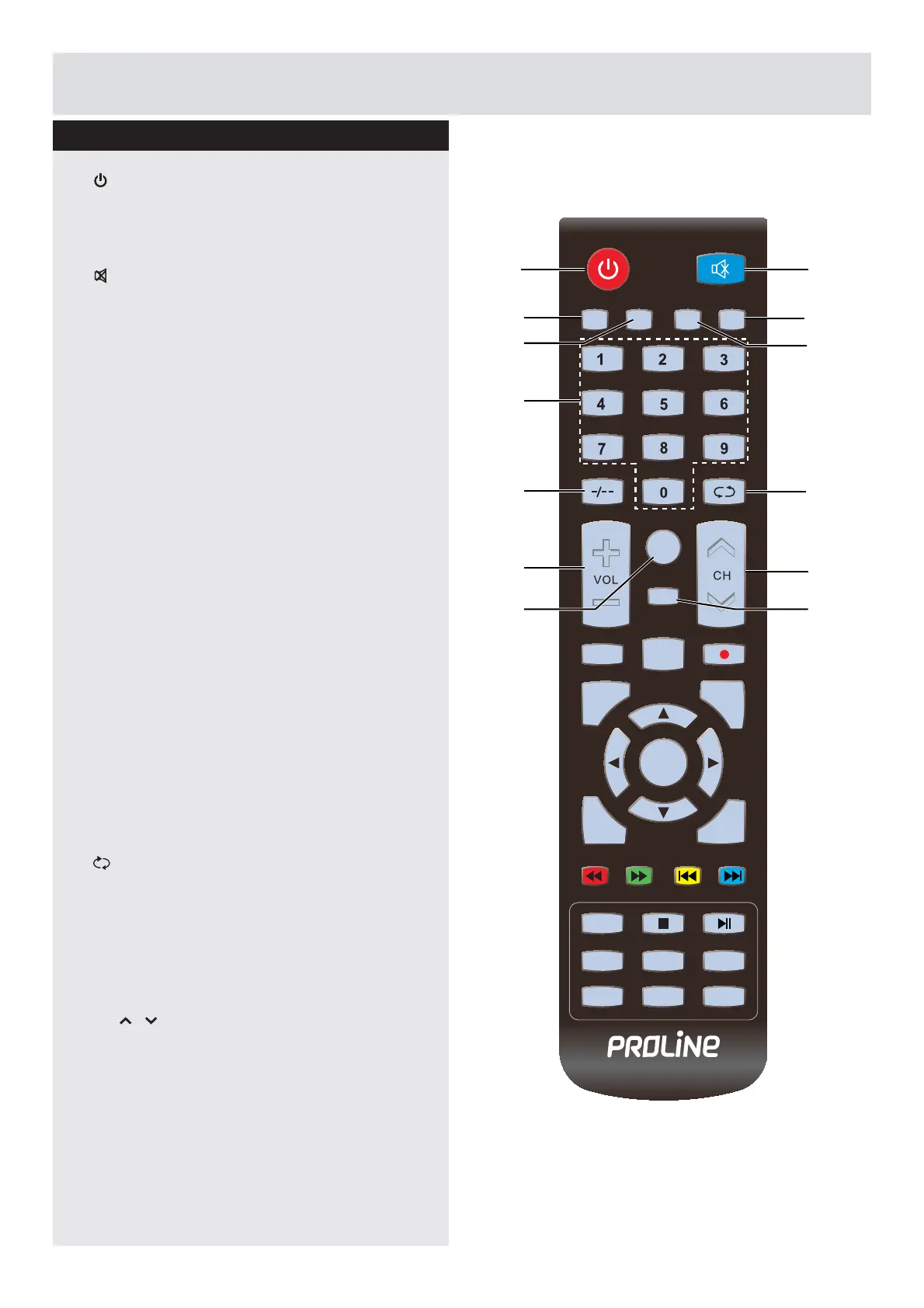
Switches the TV between on and standby
mode.
2. MUTE
Mutes and restores your TV sound.
3. P.MODE
6HOHFWSLFWXUHPRGH'\QDPLF6WDQGDUG
Mild / Personal.
4. S.MODE
6HOHFWVRXQGPRGH6WDQGDUG0XVLF
Personal / Movie.
5. FAV
Used to access your favorite channels in
digital TV mode.
6. SLEEP
Set the TV sleep timer.
7. 0-9 Number Button
Press to select a programme. (ATV / DTV
mode)
8. -/--
Press this button before entering a
programme greater than 09.
9.
Return to the previous viewing channel.
(ATV / DTV mode)
10. VOL+/-
Adjust the volume.
11. CH /
Select a channel.
12. CH.LIST
Display channel list. (ATV / DTV mode)
13. ASPECT
6HOHFWIURPWKHIROORZLQJPRGHVHWWLQJV)XOO
=RRP=RRP$XWR
Viewing remote control
MUTE
PMODE SMODE FAV SLEEP
CH.LIST
ASPECT
EPG AUDIO
MENU
EXIT
DISPLAY
SOURCE
TEXT
INDEX
HOLD
SIZE
SUBPAGE
REVEAL
SUBTITLE
ENTER
21
7
3
8
4
10
6
5
9
11
12 13
Getting Started
Downloaded from www.vandenborre.be



 To Next Page