8
or short-circuited.
2-4. UPS Installation for Parallel System
If the UPS is only for single operation, you may skip this section.
1) Install and wired the UPS according to the section 2-3.
2) Connect the output wires of each UPS to an output breaker.
3) Connect all output breakers to a major breaker. This major output breaker will then connect directly to
the loads.
4) Either common battery packs or independent battery packs for each UPS are allowed.
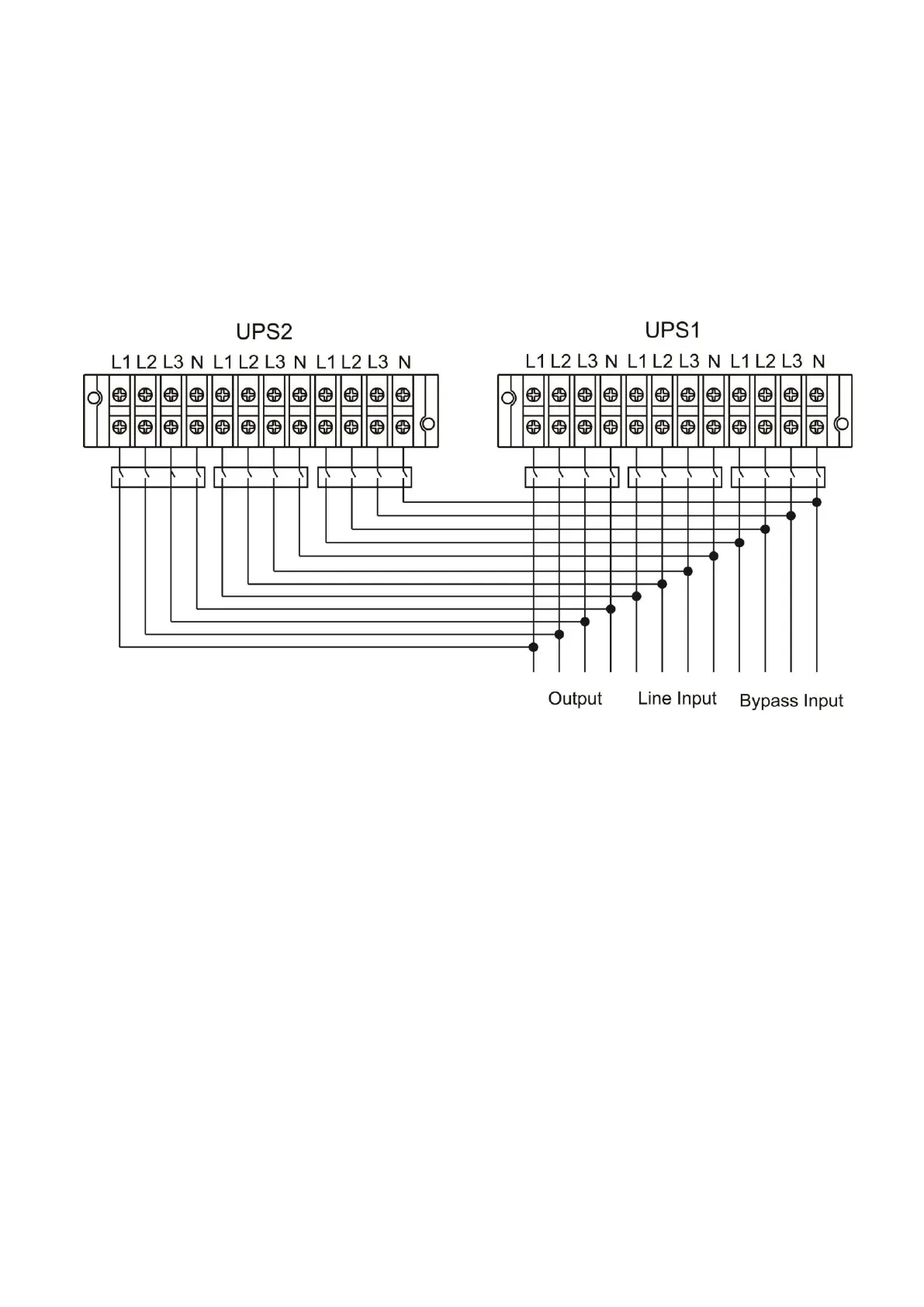
5) Refer to the following wiring diagram:
Wiring diagram of parallel system
2-5. Software Installation
For optimal computer system protection, install UPS monitoring software to configure UPS shutdown
operation.



 To Next Page
 Loading...