9
3. Operations
3-1. Button Operation
1) Before operation, make sure that the two strings of batteries are connected correctly in order
of ”+,GND,-” terminals and the breaker of the battery pack is at “ON” position (only for long-run
model).
2) Press the “ ” button to set up the power supply for the UPS. UPS will enter into power on
mode. After initialization, UPS will enter into “No Output mode”.
3-2. Screen Description
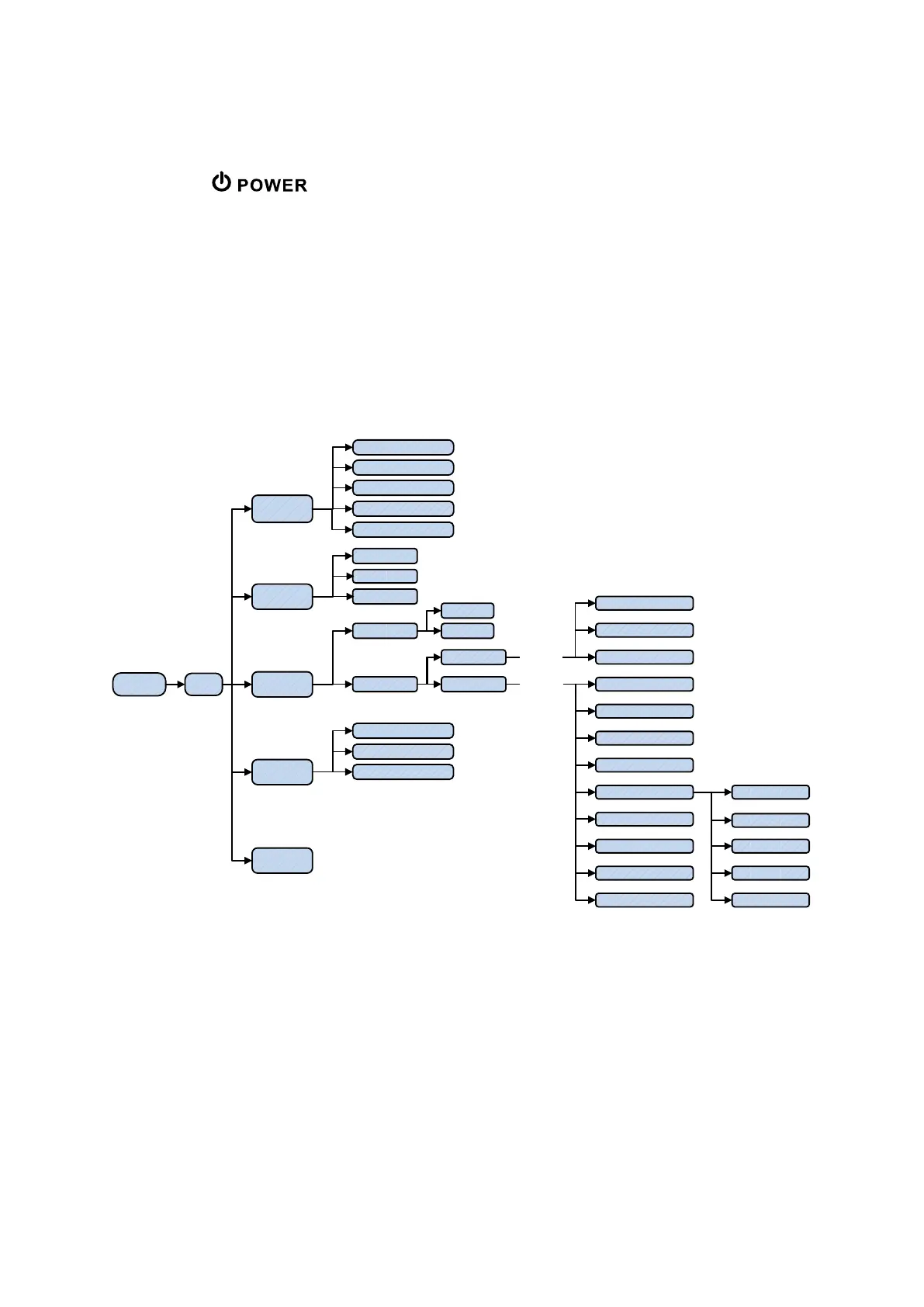
After initialization, the LCD will display main screen. There are five sub-menus: Control, measure, setting,
information and data log. Touch any sub-menu icon to enter into the sub-screen.
HOMESTARTING
CONTROL
DATALOG
MEASURE
ON/OFF UPS
BATT TEST
MUTE ALL
Page one
Page tow
page three
GENERAL
Page one
Page tow
SETTING
INFO
LCD CHANGE
DATA LOG
PARAMETERS
CALI
EEPROM
TOUCH CALI
SYS PARA
password:****
INSTALL
VOL CALI
CURR CALI
INITIAL
ELECTRIC
BATT
OTHERS
SELFTEST
ELECTRIC
BATT
OTHERS
password:0000
PARAMETER
RATED
BASIC
ADVANCE
user
Maintenance
EXIT PARALLEL
Menu tree



 To Next Page
 Loading...