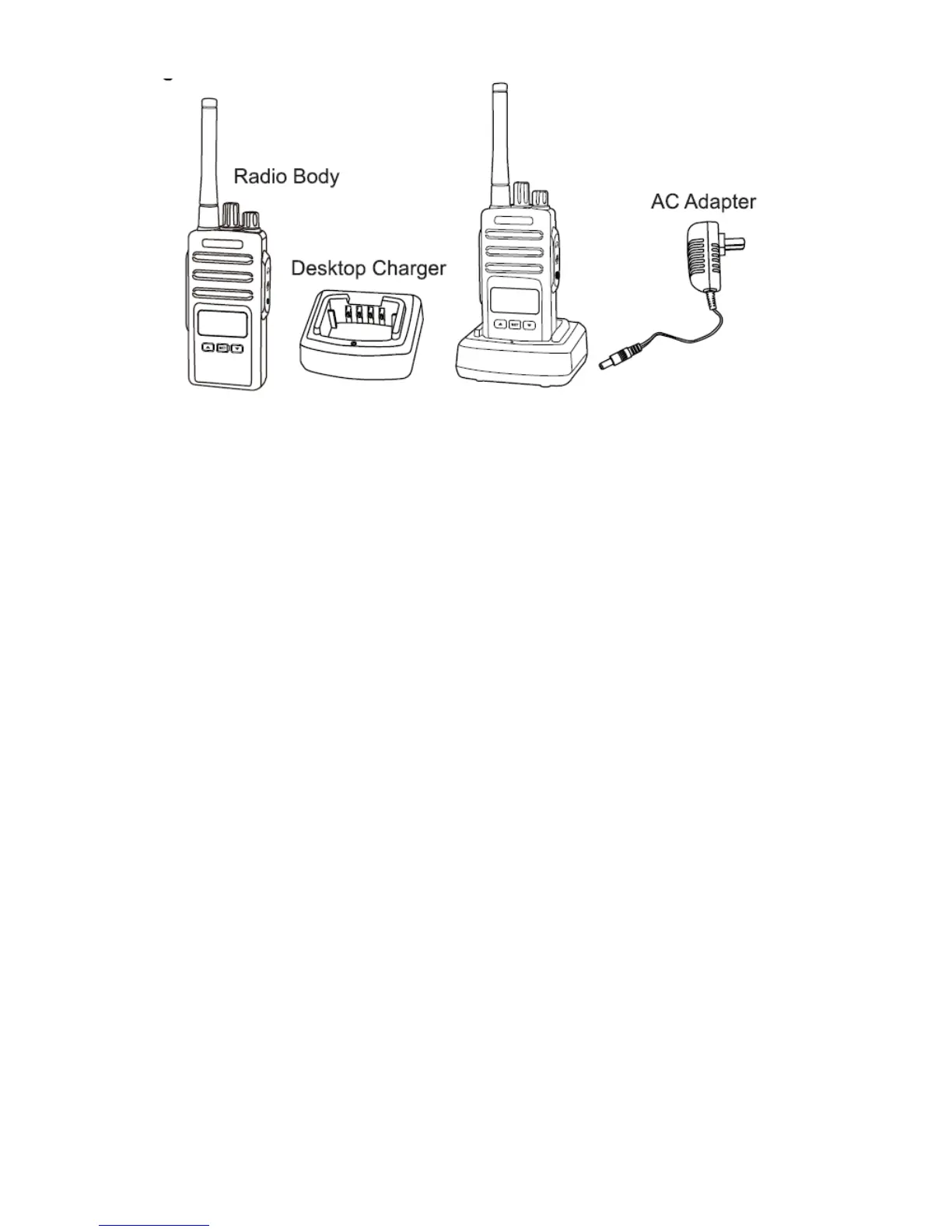
1. Place the desktop charger on a flat surface.
2. Insert the connector of the AC adapter into the charger port on
the back of the desktop charger.
3. Plug the AC adaptor into a power outlet.
4. The charger is ready for charging if the indicator LED lights red
for one second and turns off. If the indicator LED is flashing, the
charger is not ready.
5. Place the battery into the charger aligning the battery slots with
the charger guide rails.
6. The indicator LED lights red when charging. If the battery
capacity is too low, the indicator LED flashes red. The battery first
trickle charges and turns to normal charging automatically.
7. The battery is fully charged when the battery LED light is green.
The charger stops charging automatically.
Notes:
● When you charge a battery attached to the radio, turn the radio OFF
to ensure a full charge.
● The estimated charging time of the battery with charger is about 5
hours.


 To Next Page