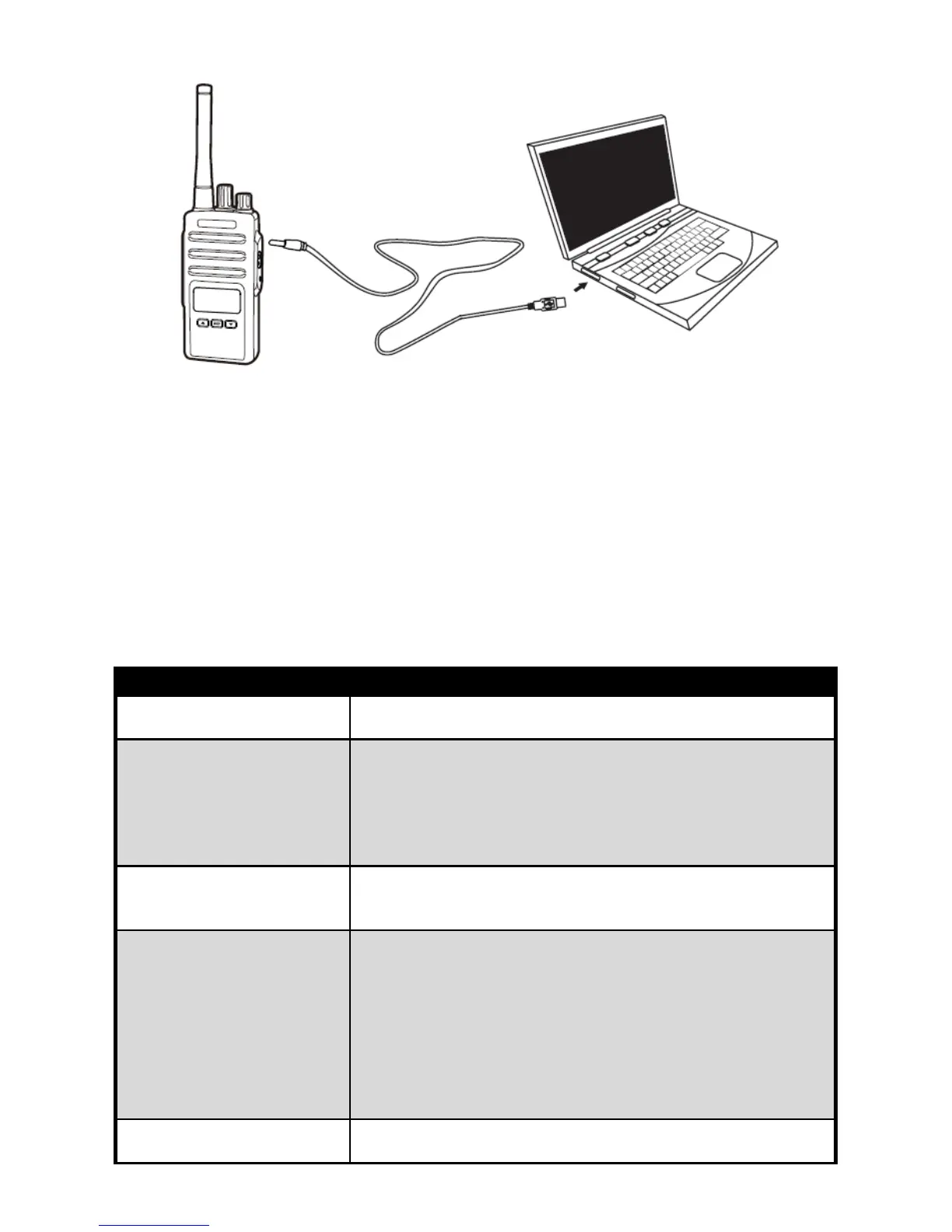
The programming software allows you to program the frequencies,
CTCSS/DCS privacy codes as well as other features such as: TX
power, bandwidth, VOX, battery save, TOT, working mode, roger beep,
busy channel lock-out…etc.
More features programmed via the programming software, please
refer to our programming guide.
TROUBLESHOOTING
Possible Reasons and Potential Solutions
Recharge or replace the battery pack;
Extreme operating temperatures may affect battery life.
Hearing other noises or
conversation on a
channel
Confirm CTCSS/DCS is set;
Frequency or CTCSS/DCS may be in use;
Change settings: either change frequencies or
CTCSS/DCS on all radios;
Make sure the radio is at the right frequency and privacy
Audio quality not good
enough
Radio settings might not be matching up correctly.
Double check frequencies, CTCSS/DCS and bandwidths
to make sure they are identical in all radios.
Steel and/or concrete structures, heavy foliage, buildings
or vehicles decrease range. Check for clear line of sight
to improve transmission;
Wearing radio close to body such as in a pocket or on a
belt decreases range;
Change location of radio. UHF radios provide great
coverage in industrial and commercial buildings.
Increasing power provides greater signal range and
increases penetration through obstructions.
Can not transmitted or
received
Make sure the PTT button is completely pressed when
transmitting;


 To Next Page