GETTING STARTED
Install and Remove Battery Pack
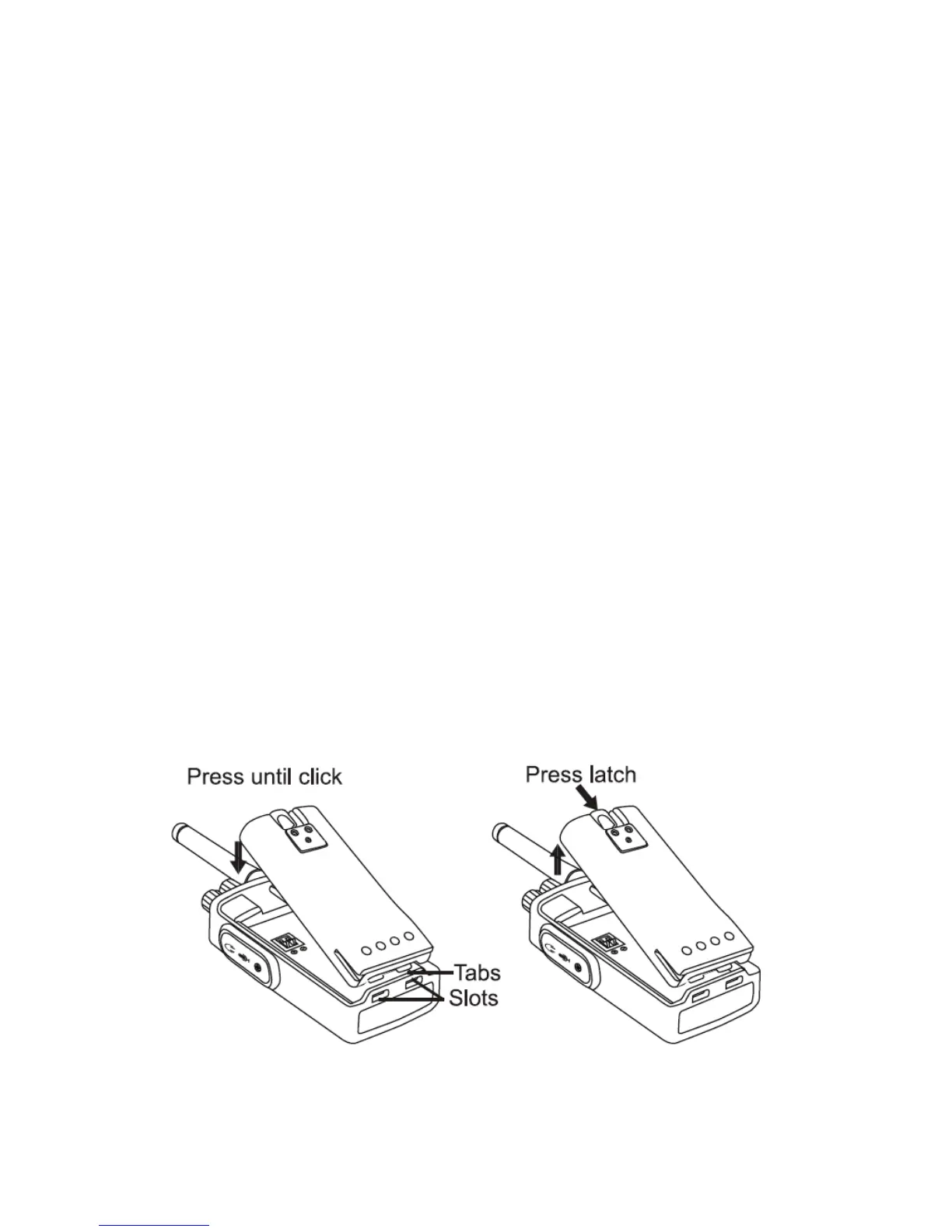
Installing Battery
1. Turn the radio OFF.
2. With the top side up on the battery pack, fit the tabs at the bottom
of the battery into the slots at the bottom of the radio’s body.
3. Press the top part of the battery towards the radio until a click is
heard.
Removing Battery
1. Turn the radio OFF.
2. Push down the battery latch and hold it while removing the
battery.
3. Pull the battery away from the radio.


 To Next Page