2. Make sure the PTT button is released and listen for voice activity.
3. The LED indicator stays solid green when the radio is receiving a
call. And the screen will show signal strength.
4. To respond, hold the radio vertically 1 to 2 inches (2.5 to 5 cm)
from mouth. Press the PTT button to talk; release it to listen.
5. When transmitting, the LED indicator stays solid red or yellow.
(Red means high TX power level setting; Yellow means low TX
power level setting)
LED Indicators
Radio Working Status and LED Indicators
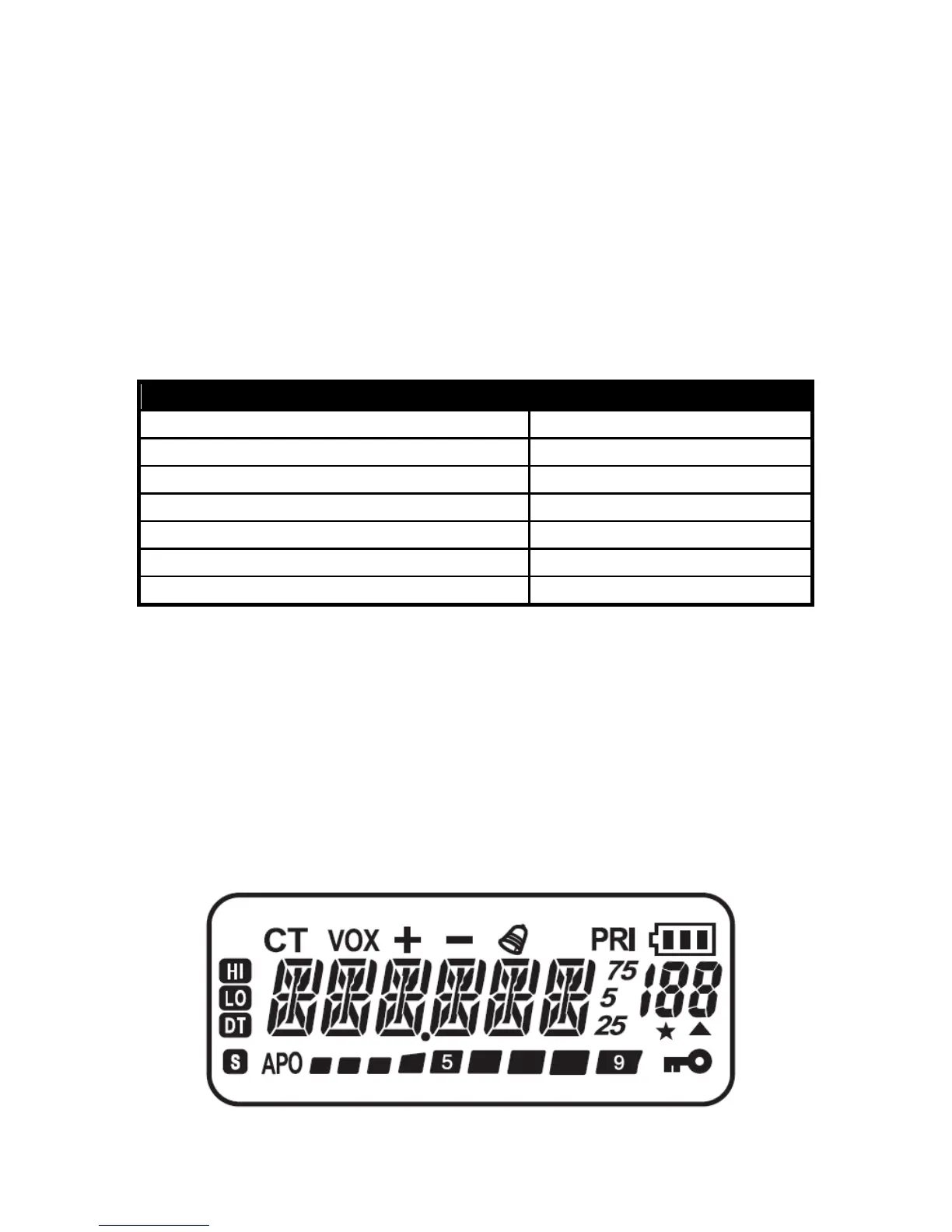
LCD Display Screen
On the display screen, you will see various icons which stand for the
selected functions. Here you will find the icons indicator
as below.


 To Next Page