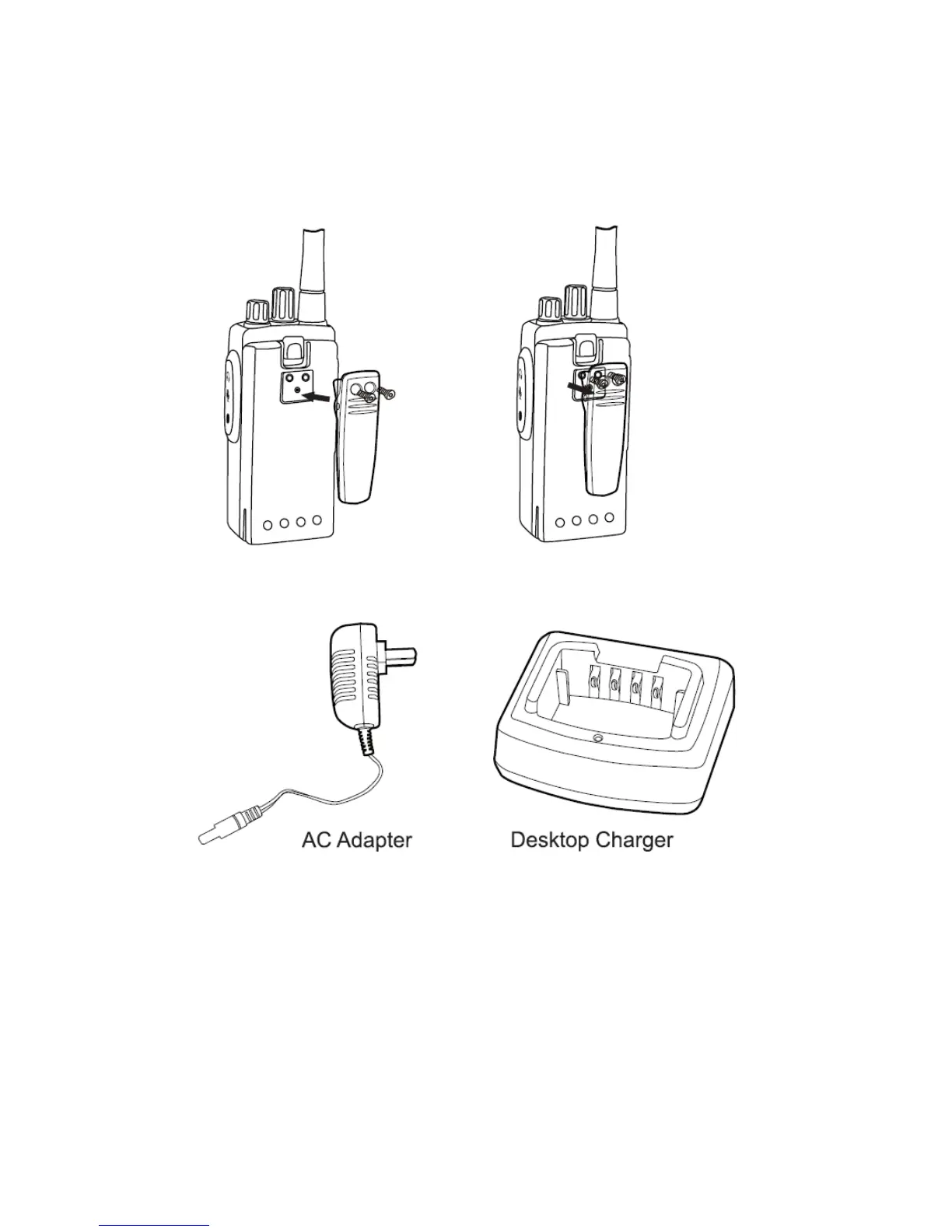
Align the screw eyelets of the belt clip with those on rear of radio and
fasten the belt clip with enclosed screws.
Removing Belt Clip
Loosen the screws to remove the belt clip.
AC Adapter and Desktop Charger
The radio is equipped with 1pcs AC adapter and 1pcs desktop
charger.
Charging the Battery Pack
To charge the battery pack, place it in the supplied desktop charger.


 To Next Page