21 – Channel Display Mode (DSPMOD)
There are 3 display modes as channel frequency + number, channel
number and channel name in total for option.
FREQ: Frequency + Channel number display. Press and hold in [SET]
button and turn on the radio to switch into VFO mode.
CH: Channel number display.
NAME: Channel name display. When a channel is not named, LCD
displays its channel number instead.
Note: this function can only be enabled in Channel mode.
22 – Frequency Step (STEP)
There are 2.5/5/6.25/10/12.5/25/50/100KHz 8 step options.
Note: This function can only be enabled in VFO mode.
23 – Bandwidth (BAND)
Select the transmitter deviation while operating on the current channel.
W: Max. Deviation = ± 5 KHz
N: Max. Deviation = ± 2.5 KHz
24 – Dual Watch (DW)
When dual watch feature is set as on, the radio will enable to monitor
current frequency or channel signal even the FM radio mode is
activated.
Programming Software
The easiest way to program or change features in your radio is via its
programming software and programming cable. The programming
software is available for free as downloadable software at our website.
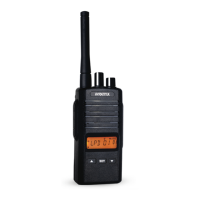
To program, connect the radio with your PC via the programming cable,
as shown picture as below.


 To Next Page