15 ActivPanel 9 User Guide 06/22
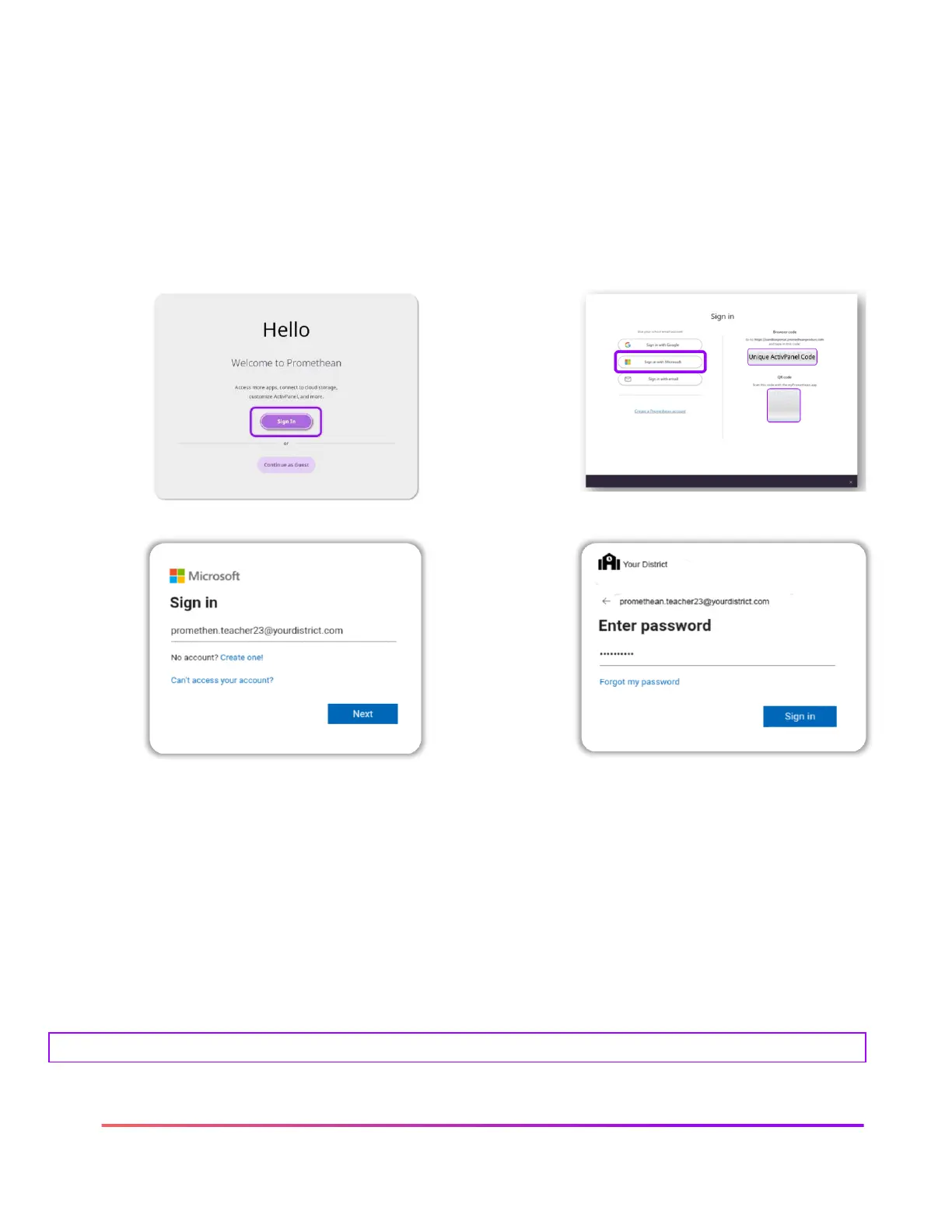
Sign in with Microsoft on the ActivPanel 9
Your Promethean ActivPanel allows you to use an already created Microsoft Office 365 account to
sign in and create your profile. Once your ActivPanel is connected to the internet, follow these
steps to create a sign in identity directly from the ActivPanel using the Hello screen. Note: if you
have already created a Promethean account, use the same google log in and password to sign in
here.
2. Select Sign in with Microsoft
3. Type in your Microsoft email, tap Next
4. Enter password, tap Next
Following these steps creates an account with the same email at one.prometheanworld.com. You
may now use this email and password to log in to any ActivPanel 9 and for access to the
Promethean web experience and mobile app.
Please follow your desired district or school directions for logging in and creating an account for the ActivPanel 9













 To Next Page