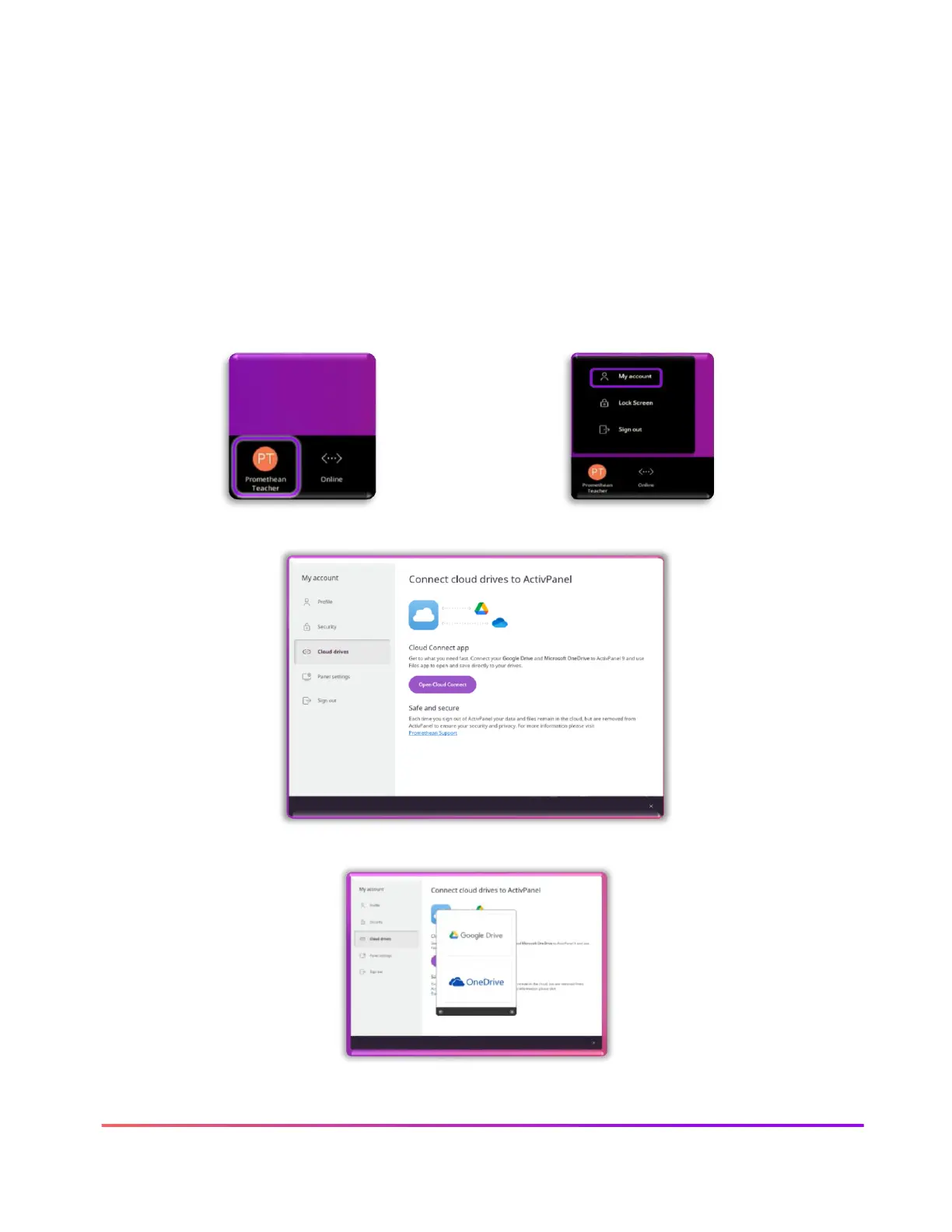
Cloud Connect: Google Drive or OneDrive
Once you have signed in to your ActivPanel profile, you can connect your Google drive to access all
your compatible files. When you first log in to your ActivPanel or your Promethean account, you will
be prompted to Connect Cloud Drive. Connecting your Google Cloud Drive allows you to easily save
images, PDFs, and other compatible files to share, as well as, saving and sharing Promethean
Whiteboard files (PWBs) with other ActivPanel users.
Steps to connect your Google Drive through your Promethean Profile.













 To Next Page