There are other ways to connect a device to Screen Share.
The Chrome Browser has an app that can be downloaded to applicable devices but does not allow
touchback. Download the Chrome extension app from the chrome web store.
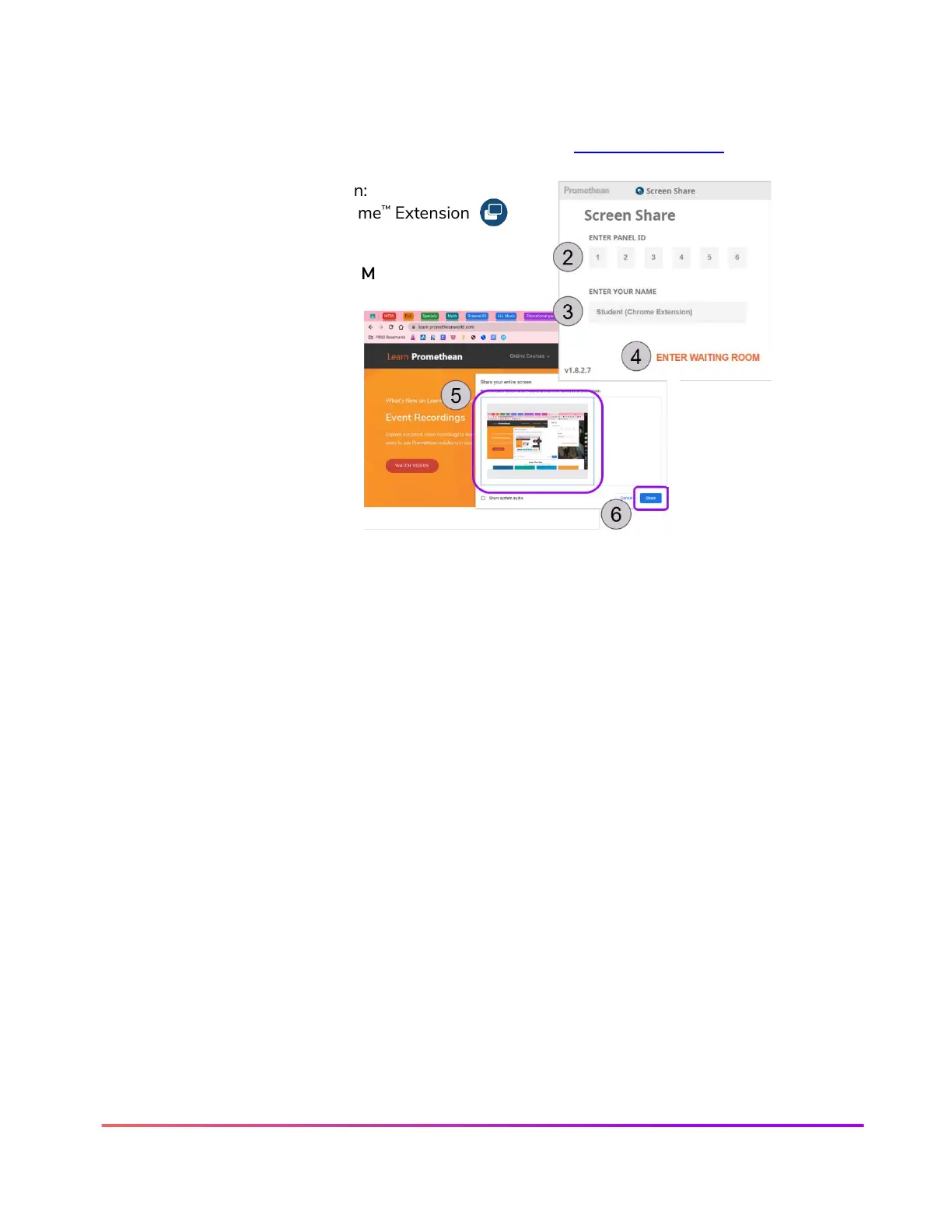
To share from the Chrome Extension:
1. Open the Screen Share Chrome
™
Extension
2. ENTER PANEL ID
3. ENTER YOUR NAME
4. Click ENTER WAITING ROOM
5. Select your screen
6. Tap Share













 To Next Page