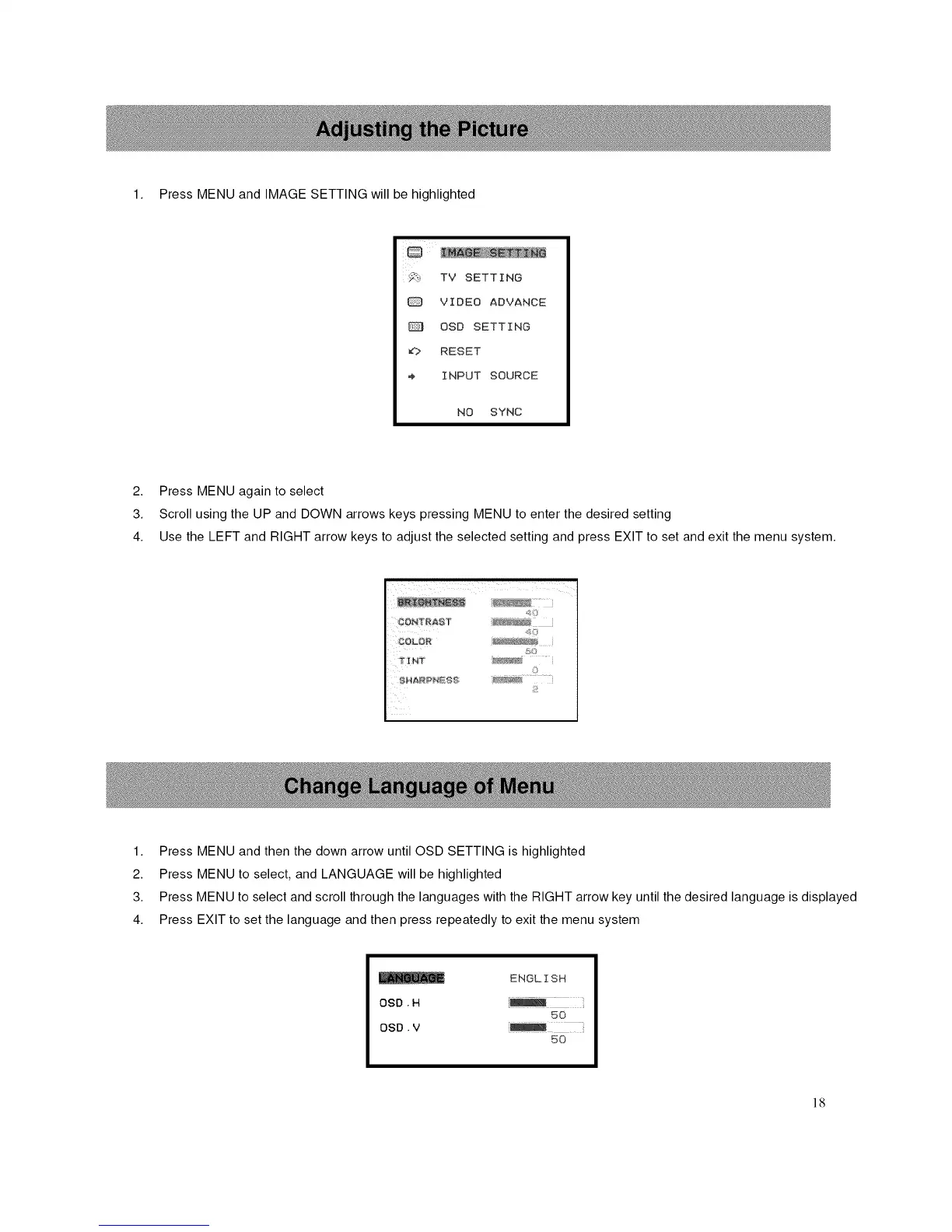
1. Press MENU and IMAGE SETTING will be highlighted
i_! TV SETTING
VIDEO ADVANCE
OSD SETTING
_? RESET
INPUT SOURCE
NO SYNC
2. Press MENU again to select
3. Scroll using the UP and DOWN arrows keys pressing MENU to enter the desired setting
4. Use the LEFT and RIGHT arrow keys to adjust the selected setting and press EXIT to set and exit the menu system.
1. Press MENU and then the down arrow until OSD SETTING is highlighted
2. Press MENU to select, and LANGUAGE will be highlighted
3. Press MENU to select and scroll through the languages with the RIGHT arrow key until the desired language is displayed
4. Press EXIT to set the language and then press repeatedly to exit the menu system
ENGLISH
oso. H
50
OSD. V
50
18














 To Next Page