2. DisconnectyouroldmonitorandconnectyouLCDTV/Monitor.Ifitdoesnotreceivethesignalproperlynow,turnoff
yourcomputer(leavetheLCDTV/Monitorpoweredon). IfthisdoesnotworktrysettingtheScreenRefreshRateto
"65Hertz"or"75Hertz".
3. Consultyourcomputertechnician- youmayneedtoupdateyoursoftwareoryourdisplaycard.
ES AND MENUS
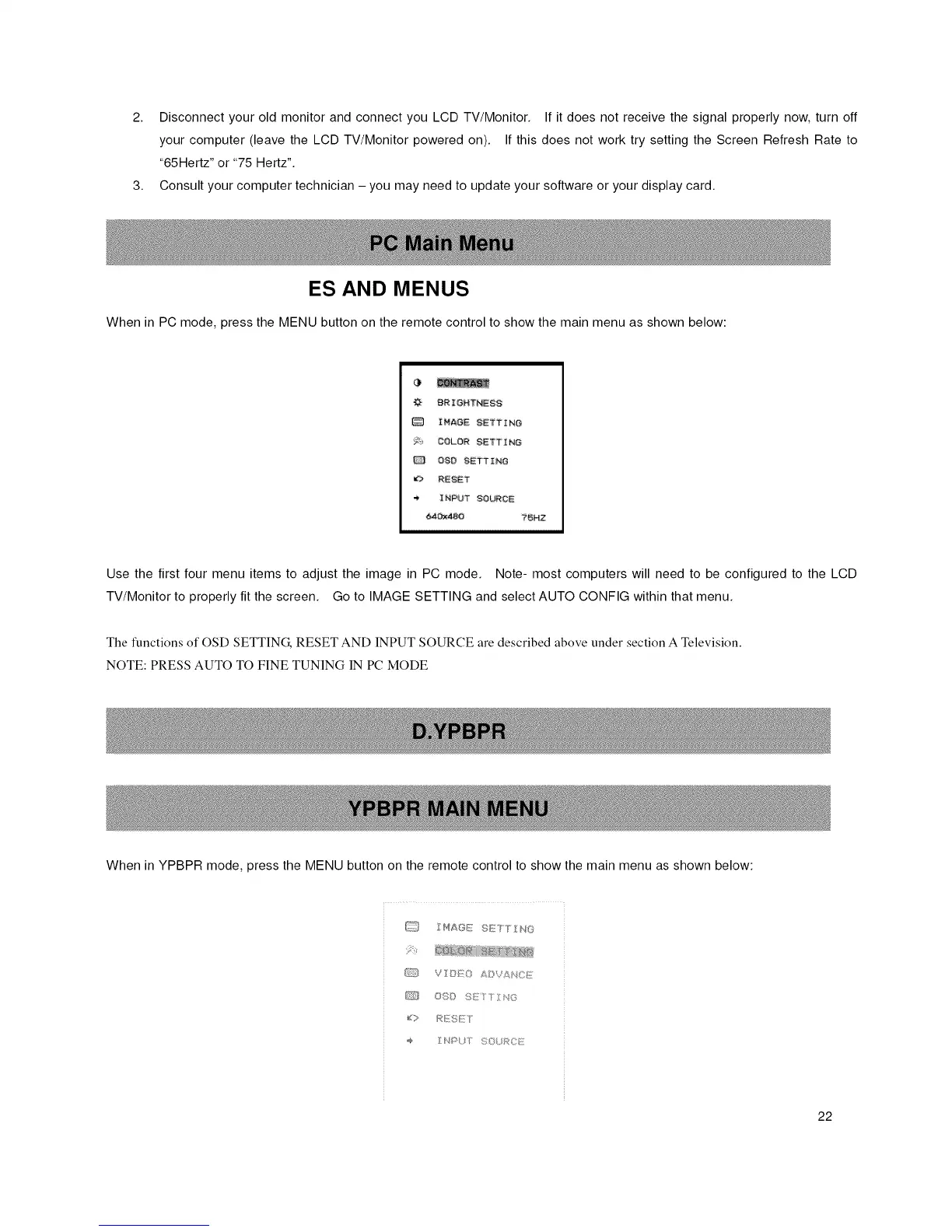
When in PC mode, press the MENU button on the remote control to show the main menu as shown below:
BRIGHTNESS
IMAGE SETTING
Y- COLOR SETTING
0_0 SETTING
REgET
INPUT SOURCE
t_4Ox_O ?SHZ
Use the first four menu items to adjust the image in PC mode. Note- most computers will need to be configured to the LCD
TV/Monitor to properly fit the screen. Go to IMAGE SETTING and select AUTO CONFIG within that menu.
The functions of OSD SETTING, RESET AND INPUT SOURCE are described above under section A Television.
NOTE: PRESS AUTO TO FINE TUNING IN PC MODE
When in YPBPR mode, press the MENU button on the remote control to show the main menu as shown below:
_1 I HA8_7 S<_TTINO
{_IL_ V /:O AQV£_,C_f:
Cr3 OSO [; [T Z¢_G
d> Rr/SI;T
_ NPUT %©L }>CE
22














 To Next Page