ProTec Polymer Processing GmbH Foerdergeraet_FG201-FG206_BA_1v0_2018_en
49
8.1.1 Cleaning or replacing conveying air filter
The conveying air filter does not require any continual service if it is cleaned. If you still want to
clean the filter or change it, proceed as follows:
1. Stop the conveying cycle.
2. Switch off power from device.
3. Remove compressed air coupling.
4. Disconnect plug connections.
5. Open locks.
6. Remove blower attachment.
7. Remove filter insert.
8. Clean the filter insert by striking it or blowing out with compressed air or replace it.
8.1.2 Replacing the conveying air filter
Conveying air filter 0.04
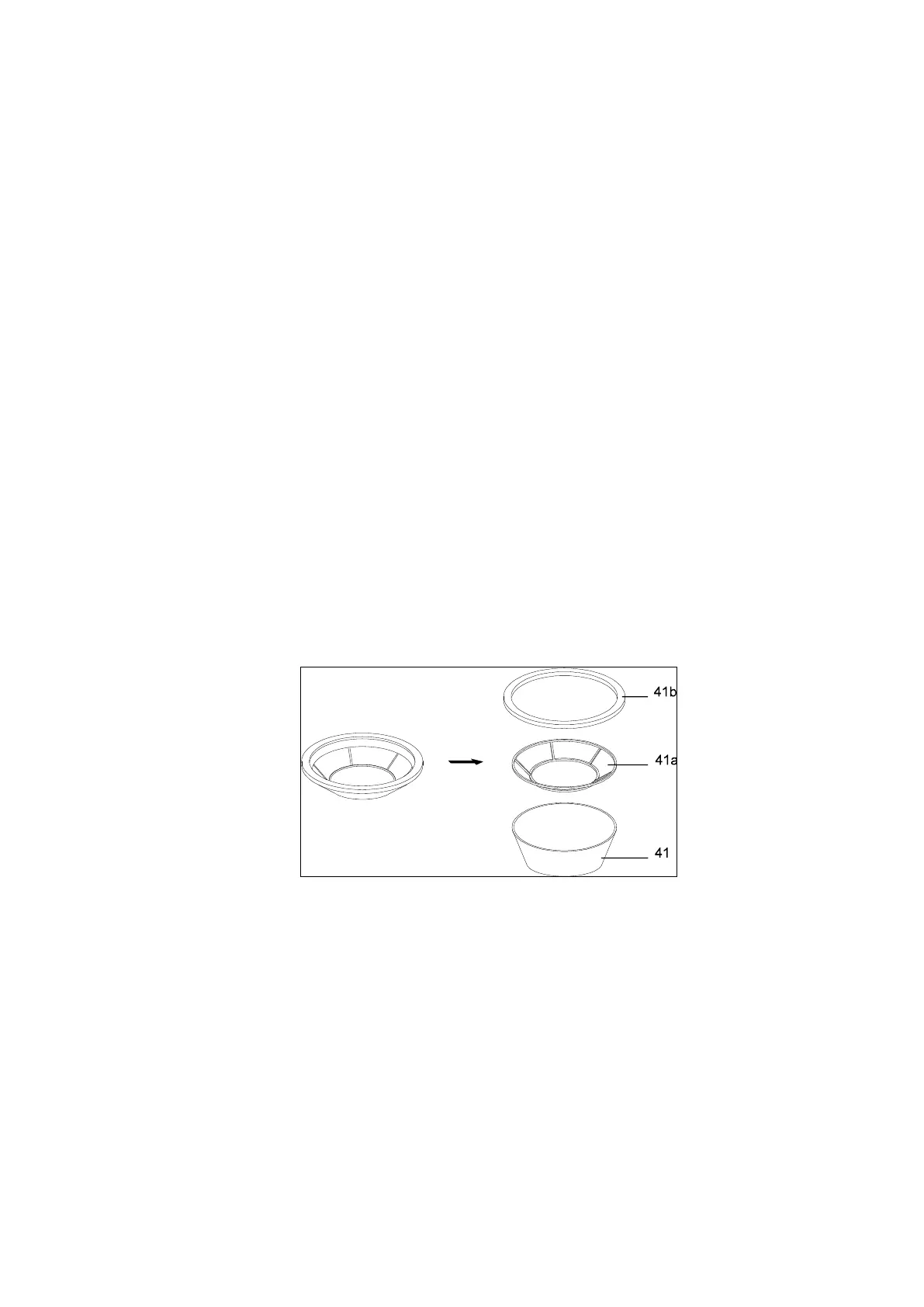
1. Remove sealing ring (41b) and clean it.
2. Carefully pull out from the conveying air filter (41) from the support basket.
3. Clean the support basket (41a) and force in a new conveying air filter.
4. Install the sealing ring.



 To Next Page