Page 38 of 69
Proton Products InteliSENS DG2030 Diameter Gauge Instruction Manual (Issue 1a)
ACCESS LEVELS
Press the Access levels icon on the function menu page and input the password “18018” to enter the
access levels pages.
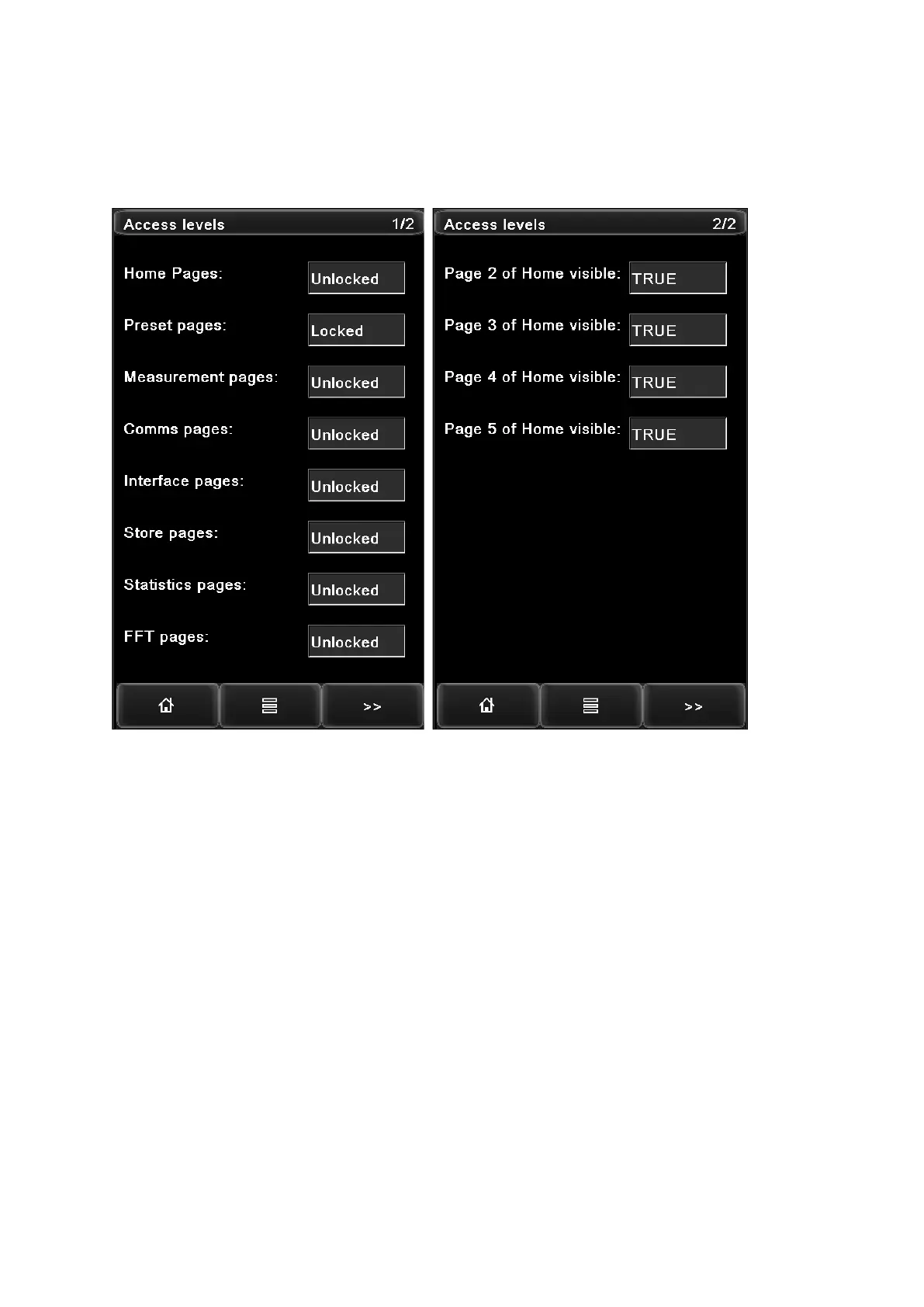
The “Access levels” page is a password protected page which restricts the setting of parameters.
The function menu pages can be locked or unlocked by selecting “Locked” or “Unlocked”.
The Home pages 2, 3, 4, 5 can be set to be displayed or hidden by selecting “TRUE” or “FALSE”.
It is necessary to unlock the relevant pages before their parameters can be set via the CDI4
interface.



 To Next Page
 Loading...