Option 1
1.
Install the APS 5 battery (4) in the battery compartment (5) of the device.
2.
Connect the USB cable (22) to the USB Type-C connector (9) of the device.
3.
Connect the other end of the USB cable (22) to the Power Adapter (23).
4.
Plug the Power Adapter (23) into a 100-240 V socket (24).
Option 2
1.
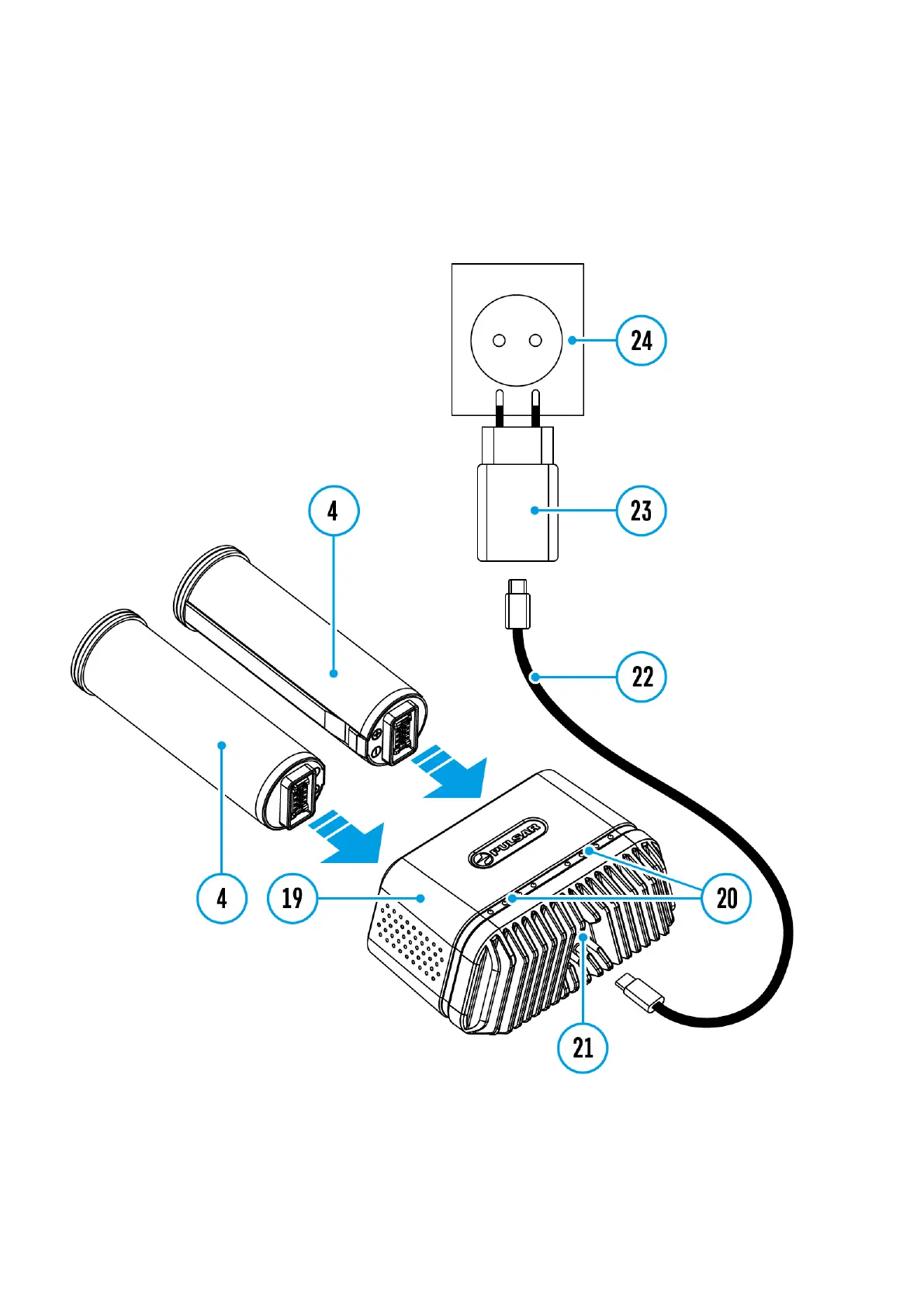
Insert the APS 5 battery (4) along the guide into the APS 5 charger* (19) slot as far as it
will go.
2.
Connect the plug of the USB Type-C cable(22) to the USB Type-C connector of the
Power Adapter(21).


 To Next Page
 Loading...