OMPDV288 book Page 28 Thm'sday, June 16, 2005 t0:09 AM
Configuring the Player
Screen Setup
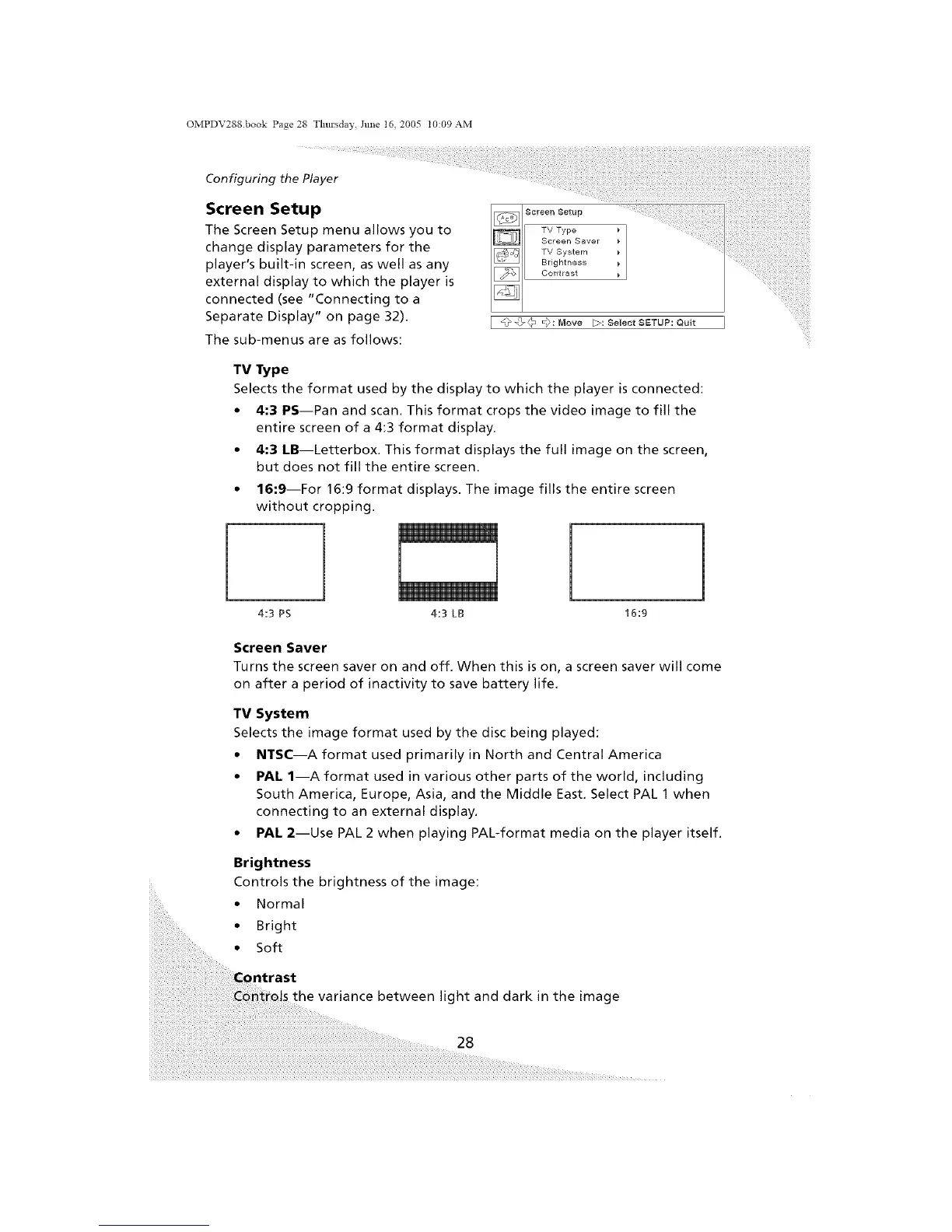
The Screen Setup menu allows you to
change display parameters for the
player's built-in screen, as well as any
external display to which the player is
connected (see "Connecting to a
Separate Display" on page 32).
The sub-menus are as follows:
I @@(" _):[_ove [_:SelectSETLIP:Quit I
TV Type
Selects the format used by the display to which the player is connected:
• 4:3 PS--Pan and scan. This format crops the video image to fill the
entire screen of a 4:3 format display.
• 4:3 LB--Letterbox. This format displays the full image on the screen,
but does not fill the entire screen.
• 16:9--For 16:9 format displays. The image fills the entire screen
without cropping.
4:3 PS 16:9
l
4:3 LB
Screen Saver
Turns the screen saver on and off. When this is on, a screen saver will come
on after a period of inactivity to save battery life.
TV System
Selects the image format used by the disc being played:
• NTSC--A format used primarily in North and Central America
• PAl. 1--A format used in various other parts of the world, including
South America, Europe, Asia, and the Middle East. Select PAL 1 when
connecting to an external display.
• PAl. 2--Use PAL 2 when playing PAL-format media on the player itself.
Brightness
Controls the brightness of the image:
• Normal
• Bright
• Soft
the variance between light and dark in the image
28


 To Next Page