INSTALLATION PRO-VISION® Video Systems
DVR-906M SYSTEM GUIDE
10 provisionusa.com
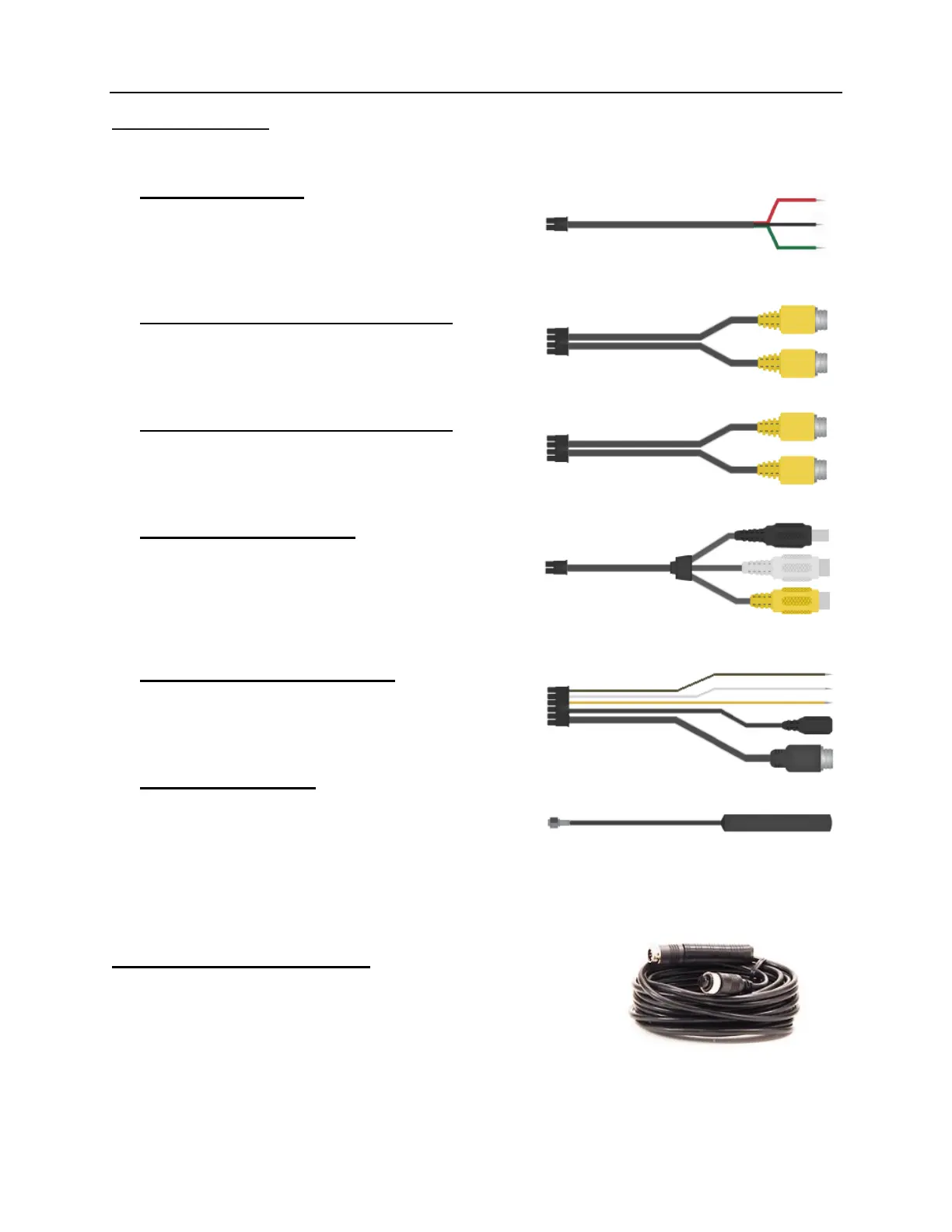
DVR Interface Cables
The DVR Interface Cables are used to connect to the vehicle and other system components.
PD-1771 Power Cable:
This cable supplies battery power to the DVR unit; it
also includes an ignition signal input cable to turn the
system ON and OFF. The power cable includes fuses
for both the battery and ignition power.
PD-1772 Camera 1 / Camera 2 Input Cable:
This cable is used to connect analog cameras 1 and 2
to the DVR unit. It supplies power and receives the
video and audio from each camera.
PD-1773 Camera 3 / Camera 4 Input Cable:
This cable is used to connect analog cameras 3 and 4
to the DVR unit. It supplies power and receives the
video and audio from each camera.
PD-1774 Video Output Cable:
This cable is used to output the live video and audio
from the DVR unit to a display monitor for aiming the
cameras or real-time observation of the camera view(s).
It includes a temporary power output to power a display
for aiming purposes.
PD-1833 GPS/Event/Trigger Cable:
This cable is used to connect the GPS Antenna, Event
Marker, and up to three (3) external trigger inputs to the
DVR unit.
PD-1924 Wi-Fi Antenna:
Two (2) Wi-Fi Antenna(s) are used by the DVR to allow
wireless viewing of the camera and DVR settings as well
as wireless transfer of files to a server in a building. At
least one antenna needs to be connected to the DVR.
Note: Two (2) antennas will increase the transfer speed, but does not increase the Wi-Fi range.
PX-1842 15ft Analog HD A/V Cable:
15ft Analog HD cables are used for the connecting both analog
standard definition (SD) and high definition (HD) cameras to the DVR
unit. The male ends connect to cameras and the female ends connect
to the DVR.



 To Next Page