SUPA8 User Manual
16
ISOLATE
Key 6
This operation allows Zones 1 - 8 to be manually isolated or re-enabled at
any time and is only available to holders of user codes 0 to 7. The ON-
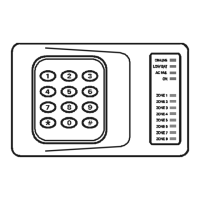
LINE, LOW BATT, AC FAIL and ON lights will illuminate and the Zone
lights will show the current manual isolate status of the Zones.
A Zone light being ON, means that Zone is manually isolated.
As keys
1 to 8 are pressed, the relevant Zone light will toggle on or
off. When the light is on the Zone is isolated.
The
* key is used to exit out of isolate mode (isolate mode will also end
if there are no keys pressed for 10 seconds).
Note that isolated Zones only remain isolated until the next time the
SUPA8 is turned OFF, even if the SUPA8 is already OFF. AC fail, Low
battery, Panic, Test and Duress inputs cannot be isolated.
See page 13 for examples.
PROGRAM
Key 7
Enter installer or master code followed by 7 to enter programming mode.
Only available to the master code and the installer code.
ON (HOME MODE)
Key 8
Enter any user code followed by 8 or enter # 8 to turn the SUPA8
ON in Home Mode. ON light will flash to indicate SUPA8 is armed in
home mode. Only Zones which are programmed as Home Zones will be
active.


 To Next Page