SUPA8 Quick Setup
7
Step 4: On Keypad
To assign Client Identification Account Number (example No:1111).
Enter:
160 1111
Enter: 164 1111
Note: The Account Number must be programmed into both addresses.
The above Account Number is allocated by your Central Monitoring Station.
Enter: * (to exit programming mode).
This system is now operational as a Central Monitoring Station Dialler.
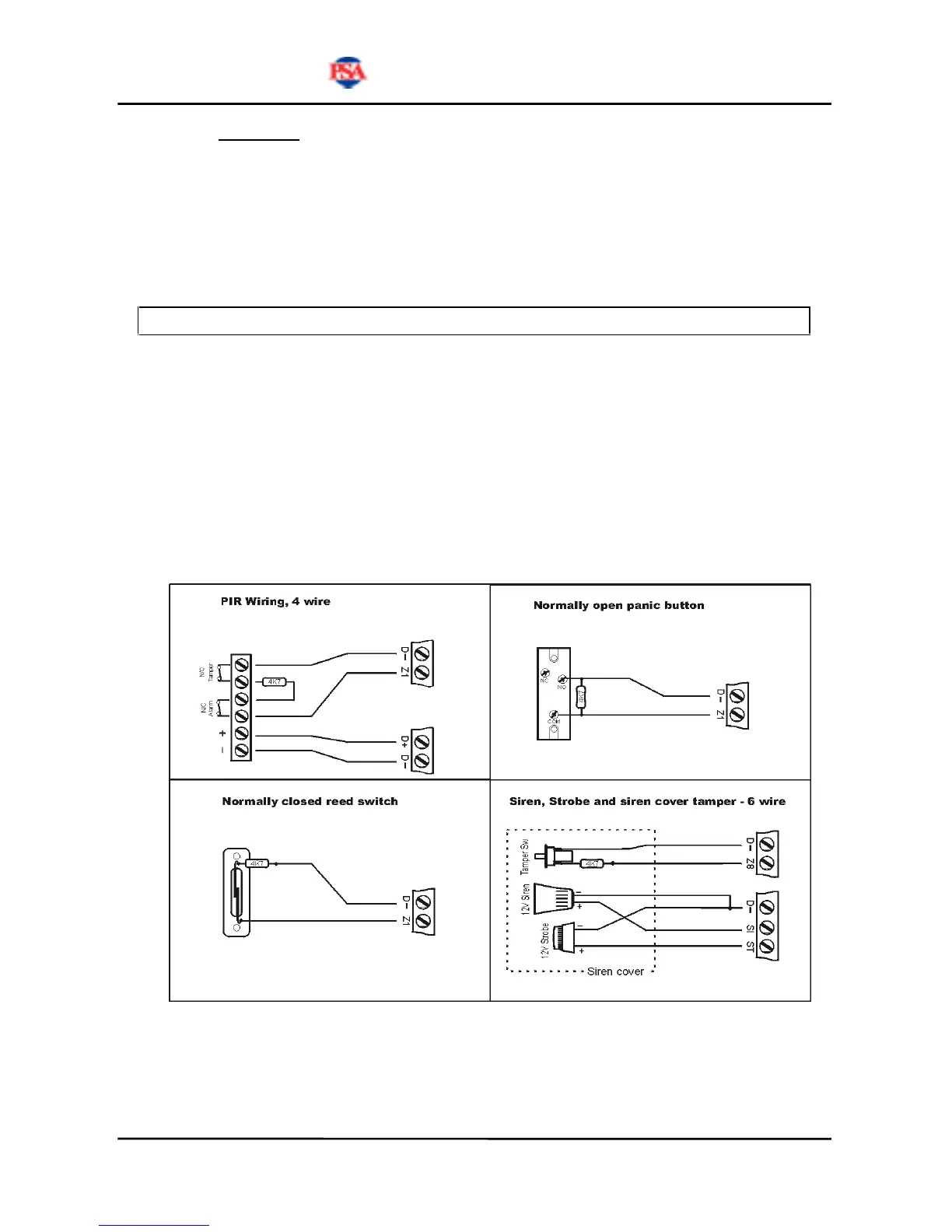
Zone Input Connections
General Examples Only. Refer to installation guidelines supplied with device.


 To Next Page