SUPA8 User Manual
20
HOME mode (using your User Code)
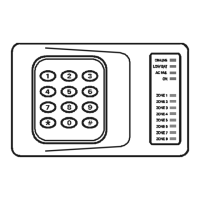
The ON light should be off indicating the system is OFF.
Your installer may have installed your system so that some areas may be
monitored whilst you are still on the premises. For example, the doors and
windows may be protected at night leaving the internal detectors isolated to
allow movement inside the house.
Make sure that all protected areas are shut securely.
1. Enter * ....................To clear the keypad
2. Enter ____ ....Your User Code
(All Zone lights will flash - waiting for a command)
3. Enter 8 ....................Arms the SUPA8 in Home mode
4. Check that the ON light starts flashing to indicate arming in Home
mode.
(The exit beeper will sound continuously during exit delay. If the exit
beeper has been turned off by the installer, three beeps will be heard at
the end of exit delay.)
HOME mode (using Quick Home)
Your installer may have programmed the SUPA8 to allow abbreviated arming.
If so, turn the system ON as follows.
1. Enter * ....................To clear the keypad
2. Enter # ...................(All Zone lights will flash - waiting for a command)
3. Enter 8 ....................Arms the SUPA8 in Home mode
4. Check that the ON light turns starts flashing to indicate arming in
Home mode.
(The exit beeper will sound continuously during exit delay. If the exit
beeper has been turned off by the installer, three beeps will be heard at
the end of exit delay.)


 To Next Page