SUPA8 Quick Setup
5
Commissioning the Dialler Panel
Austel Requirements:
Austel requirement’s state that all Dialler Panels connected to the Telephone Network must have
the Telephone connection and termination work performed and completed by a current Austel
Licence Holder.
To Assign for Local Dialling (to a nominated telephone number) for Self
Monitoring Purposes.
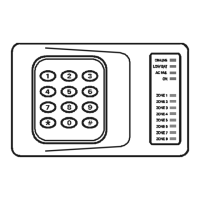
Step 1: On Keypad
Enter programming mode: 2580 7
You are now in Programming Mode (ON-LINE light will flash).
Step 2: On Keypad
To set up Personal Reporting format:
Enter:
250 (address number)
Followed by:
2578 (cancels the programming mode)
Step 3: On Keypad
Re-enter programming mode:
Enter:
2580 7
Step 4:
On Keypad
Entering of required telephone number/s.
1
st
Telephone Enter: 128 0391234567 #6 *
2
nd
Telephone Enter: 144 0411234567 #6 *
Note: (a) The above numbers are examples only. You must enter the correct numbers to dial
according to the Home owner’s requirements. A maximum of two telephone numbers
can be programmed.
(b) The phone numbers can consist of a mix of mobile phones numbers and local phone
numbers. Only one phone number can be programmed if required.
(c)
#6 is used to finish the phone number.
(d)
* completes address (allows next address).
Step 5: On Keypad
Exit programming: Enter: *


 To Next Page