SUPA8 User Manual
15
WALK TEST
Key 5
Selecting this operation whilst the SUPA8 is OFF will initiate walk-test
mode. Walk-test can only be performed by holders of user codes 1 to 7.
Walk-test mode allows all Zones, the siren and the strobe to be tested.
Operation is as follows:
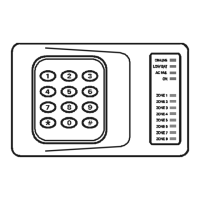
When walk-test mode is first entered, all 8 Zone lights will be off. The AC
Fail light will show whether AC is present or not and the Low Batt light
will show whether the battery charging voltage is adequate.
As Zones are triggered the siren will squawk and the relevant Zone light
will turn on and remain turned on. This allows a "one man" walk-test by
walking through all Zones.
Pressing the
0 key turns off all Zone lights and allows the test to be
repeated, if required.
SIREN AND STROBE TEST.
While in test mode:
Pressing the
1 key will turn on the siren.
Pressing the
2 key will turn on the strobe.
This enables you to check the individual operation of the siren and strobe.
Pressing the
3 key will turn off the siren and strobe.
Press the
* key to exit walk-test.


 To Next Page