SUPA8 User Manual
12
SUPA8 Operation
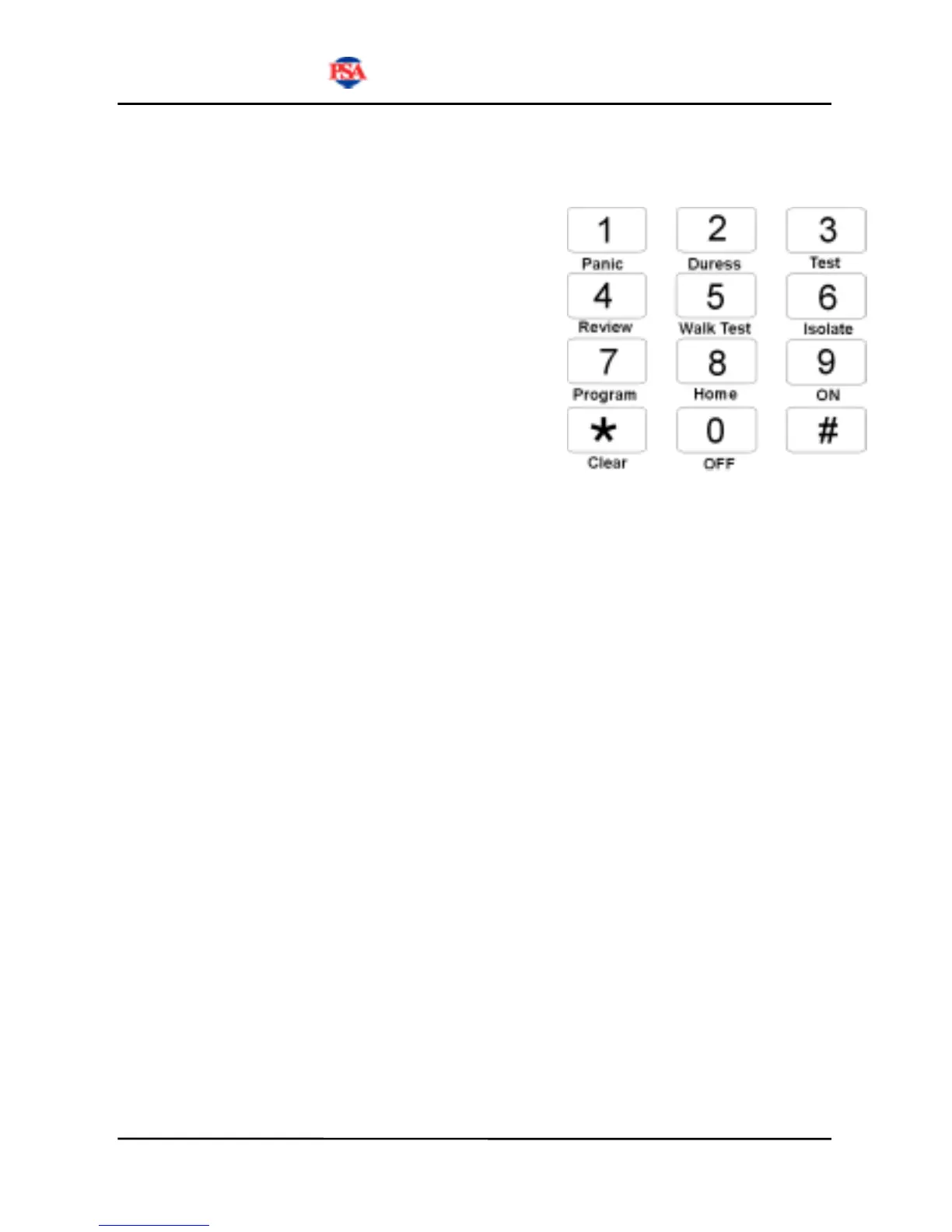
Keypad Key Functions
After a code is entered or the # key is
pressed, you have 10 seconds to select the
operation you wish to perform. During this
time all 8 Zone lights will flash to indicate
that a key should be pressed. If no key is
pressed within 10 seconds, the keypad will
revert to idle mode. Enter your code to start
again.
The
* key is always used as the "clear
key" to abort the current operation.
Operation of all keys
PANIC
Key 1
Enter a User Code followed by 1 or enter # 1 to trigger the Panic
function. The Panic function can trigger the siren or strobe light or dialler
as programmed by your installer.
DURESS
Key 2
Enter a User Code followed by 2 or enter # 2 to trigger the Duress
function. The Duress function can trigger the siren or strobe light or dialler
as programmed by your installer.
TEST
Key 3
Enter a User Code followed by 3 or enter # 3 to trigger the Test
function. The Test function is used to test the dialler by sending a test
transmission to the programmed telephone numbers. This function is only
available if your system is programmed to report alarms to a monitoring
station.


 To Next Page