SUPA8 User Manual
17
ON (AWAY MODE)
Key 9
Enter any user code followed by 9 or enter # 9 to turn the SUPA8
ON in Away Mode. ON light will turn on to indicate SUPA8 is armed in
Away Mode. Only Zones which are programmed as Away Zones will be
active. All user codes are allowed to arm the SUPA8.
OFF (DISARM)
Key 0
Enter any code followed by 0 to turn the SUPA8 OFF. Turning the SUPA8
OFF will also turn the sirens and strobe off and re-enable manually isolated
Zones even if the SUPA8 is already OFF.
How to turn the system ON.
AWAY mode (using your User Code)
In the AWAY mode, all Zones programmed as AWAY Zones will be armed.
(Typically this means all Zones.)
The ON light should be off indicating the system is OFF.
Make sure that all protected doors and windows are shut securely. Check also
that all Zone lights on the Keypad are off, except for the Zones you use to exit
the premises. (Check that no pets are left to roam inside the protected areas -
curious cats and dogs are a major cause of false alarms).
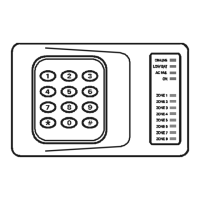
1. Enter * ....................To clear the keypad
2. Enter ____ ....Your User Code
(All Zone lights will flash - waiting for a command)
3. Enter 9 ....................Arms the SUPA8 in Away mode
4. Check that the ON light turns on.
(The exit beeper will sound continuously during exit delay. If the exit
beeper has been turned off by the installer, three beeps will be heard at
the end of exit delay.)


 To Next Page