Collecting Data
User’s Guide 43
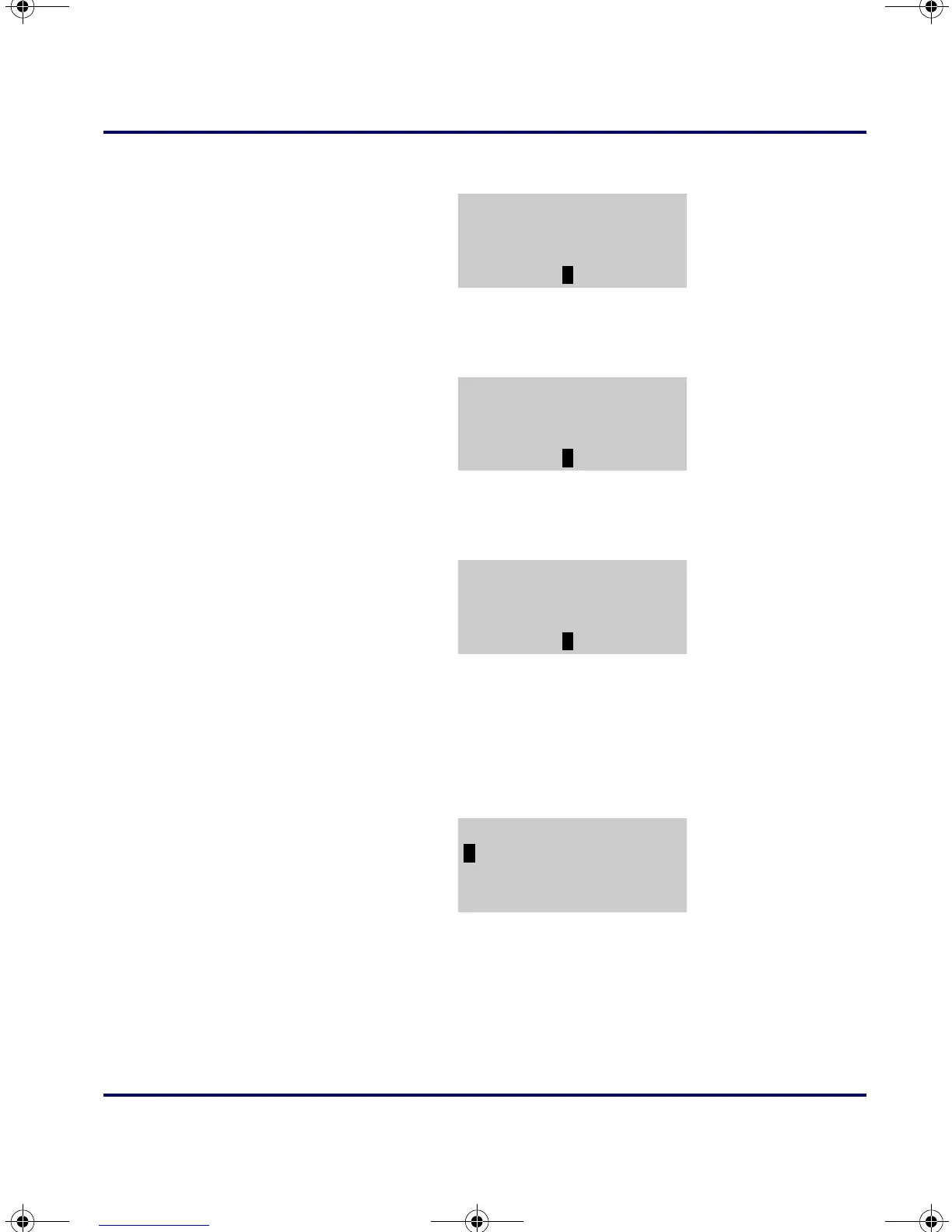
Figure 3-54: Select
SEND FILE
3. Use a cable supplied by your PSC dealer to connect the portable
to your modem, and select
<F3> from the send file menu.
Figure 3-55: Select MODEM
4. Select <F2> to transmit the file at 2400 baud or <F3> to transmit
it at 9600 baud.
Figure 3-56: Select BAUD RATE
5. Enter the telephone number to dial. Be sure to use the format
that your modem requires. (For example, you may need to use
"9," as a prefix for the number). When you press the
<ENTER>
key on the keypad, the application connects to the modem and
calls the number.
Figure 3-57: Entering the telephone number
6.
When the modem connects to the remote computer, two-way
communications between the portable and the computer is
established. Use the portable to enter the commands you need to
prepare the computer to receive a file.
*FILE OPTIONS*
F2=SEND FILE
F3=ERASE FILE
F4=EXIT
*SEND FILE*
F2=SERIAL
F3=MODEM
F4=EXIT
SELECT BAUD RATE
F2=2400,N,8,1
F3=9600,N,8,1
F4=EXIT
NUMBER TO DIAL
F4=EXIT
PT2000.book Page 43 Thursday, February 26, 2004 9:34 AM


 To Next Page